Loading manual…
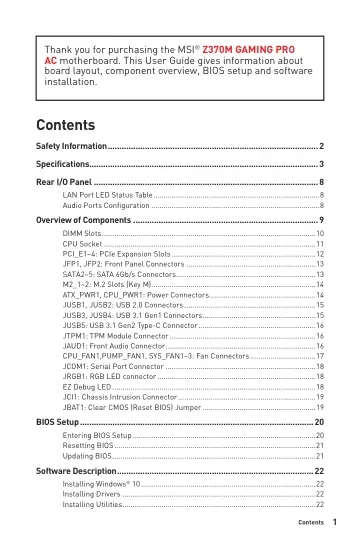
MSI Z370M GAMING PRO AC (7B44-001R) user manual
Open PDFOpens the file on objects.icecat.biz.
Contents
- Safety Informationp. 2
y The components included in this package are prone to damage from electrostatic discharge (ESD). Please adhere to the following instructions to ensure…
- Specificationsp. 3
CPU Supports 8th Generation Intel® Core™ Processors, and Intel® Pentium® and Celeron® Processors for Socket LGA1151 Chipset Intel® Z370 Express Chipset Memory…
- Rear I/O Panelp. 8
PS/2 Mouse DisplayPort PS/2 Keyboard Link/ Activity LED Status Description Off No link Yellow Linked Blinking Data activity Speed LED Status Description Off 10…
- LAN Port LED Status Tablep. 8
Audio Ports Optical S/PDIF-Out Wi-Fi Antenna Connectors USB 3.1 Gen2 (10Gbps) LAN USB 3.1 Gen1 (5Gbps) USB 3.1 Gen2 Type-C (10Gbps) Audio Ports Configuration…
- Overview of Componentsp. 9
- DIMM Slotsp. 10
Please install the memory module into the DIMM slot as shown below. Important y To boot up the system successfully, always insert the memory module into DIMMA2…
- CPU Socketp. 11
Please install the CPU into the CPU socket as shown below. Important y Always unplug the power cord from the power outlet before installing or removing the…
- PCI_E1~4: PCIe Expansion Slotsp. 12
PCI_E1: PCIe 3.0 x16 (CPU lanes) PCI_E3: PCIe 3.0 x16 slot (CPU lanes) PCI_E4: PCIe 3.0 x1 slot (PCH lanes) PCI_E2: PCIe 3.0 x1 slot (PCH lanes) Important y If…
- JFP1, JFP2: Front Panel Connectorsp. 13
- SATA2~5: SATA 6Gb/s Connectorsp. 13
These connectors are SATA 6Gb/s interface ports. Each connector can connect to one SATA device. SATA2 SATA4 SATA3 SATA5 Important y Please do not fold the SATA…
- M2_1~2: M.2 Slots (Key M)p. 14
Please install the M.2 solid-state drive (SSD) into the M.2 slot as shown below
- ATX_PWR1, CPU_PWR1: Power Connectorsp. 14
- JUSB3, JUSB4: USB 3.1 Gen1 Connectorsp. 15
- JTPM1: TPM Module Connectorp. 16
This connector is for TPM (Trusted Platform Module). Please refer to the TPM security platform manual for more details and usages. 1 2 14 13 1 LPC Clock 2 3V…
- CPU_FAN1,PUMP_FAN1, SYS_FAN1~3: Fan Connectorsp. 17
Fan connectors can be classified as PWM (Pulse Width Modulation) Mode or DC Mode. PWM Mode fan connectors provide constant 12V output and adjust fan speed with…
- JCOM1: Serial Port Connectorp. 18
- JCI1: Chassis Intrusion Connectorp. 19
This connector allows you to connect the chassis intrusion switch cable. Normal (default) Trigger the chassis intrusion event Using chassis intrusion detector…
- JBAT1: Clear CMOS (Reset BIOS) Jumperp. 19
There is CMOS memory onboard that is external powered from a battery located on the motherboard to save system configuration data. If you want to clear the…
- BIOS Setupp. 20
The default settings offer the optimal performance for system stability in normal conditions. You should always keep the default settings to avoid possible…
- Entering BIOS Setupp. 20
Please refer the following methods to enter BIOS setup. y Press Delete key, when the Press DEL key to enter Setup Menu, F11 to enter Boot Menu message appears…
- Resetting BIOSp. 21
You might need to restore the default BIOS setting to solve certain problems. There are several ways to reset BIOS: y Go to BIOS and press F6 to load optimized…
- Updating BIOSp. 21
with M-FLASH Before updating: Please download the latest BIOS file that matches your motherboard model from MSI website. And then save the BIOS file into the…
- Software Descriptionp. 22
Installing Windows® 10 1. Power on the computer. 2. Insert the Windows® 10 disc into your optical drive. 3. Press the Restart button on the computer case. 4.…
- Installing Windows® 10p. 22
1. Power on the computer. 2. Insert the Windows® 10 disc into your optical drive. 3. Press the Restart button on the computer case. 4. Press F11 key during the…
- Installing Driversp. 22
1. Start up your computer in Windows® 10. 2. Insert MSI® Driver Disc into your optical drive. 3. The installer will automatically appear and it will find and…
- Installing Utilitiesp. 22
Before you install utilities, you must complete drivers installation. 1. Insert MSI® Driver Disc into your optical drive. 2. The installer will automatically…
Other documents for this model
- MSI A320M PRO-VD PLUS (7B38-001R) user manual
- MSI A320M PRO-M2 V2 user manual
- MSI PRO H410M-B user manual
- MSI A520M PRO-C DASH (7C57-002R) user manual
- MSI B450M PRO-VDH (7A38-017R) user manual
- MSI A520M PRO-VH user manual
- MSI B450M PRO-M2 V2 user manual
- MSI H310M PRO-VHL (7B27-001R) user manual
- MSI A320M PRO-VD/S V2 (7A36-013R) user manual