Loading manual…
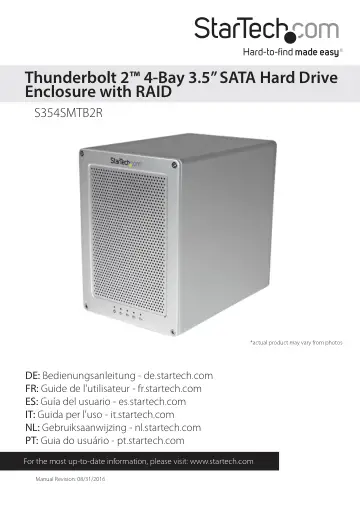
StarTech.com 4-Bay Enclosure for 3.5in SATA Drives (S354SMTB2R) user manual
- Type
- User manual
- Language
- English
- Pages
- 26
- Category
- Storage & drives
- Models
- S354SMTB2R
Open PDFOpens the file on objects.icecat.biz.
Contents
- Introductionp. 4
Packaging Contents • 1 x Thunderbolt 4-bay 3.5 in. hard drive RAID enclosure • 1 x 2m Thunderbolt cable • 3 x Allen keys • 1 x universal power adapter (NA/JP…
- Recommended System Requirementsp. 4
1X Computer system with: Available Thunderbolt port Apple® Mac® OSX Microsoft® Windows 8/8.1, Server 2008 R2 (32/64-bit) • 4X 3.5” SATA Hard Drives Note: 2.5”…
- Product Diagramp. 5
- Front Viewp. 5
Rear View 1. Drive Door 2. Drive LEDs 3. Faceplate screws 1. Built-in drive fan 2. Power switch 3. Power adapter port 4. Thunderbolt ports 1 2 3 1 2 3 4
- Rear Viewp. 5
1. Drive Door 2. Drive LEDs 3. Faceplate screws 1. Built-in drive fan 2. Power switch 3. Power adapter port 4. Thunderbolt ports 1 2 3 1 2 3 4
- Getting Startedp. 6
Step 1. Installing your hard drives. WARNING: Hard drives and storage enclosures require careful handling, especially when being transported. If you are not…
- Step 1. Installing your hard drivesp. 6
WARNING: Hard drives and storage enclosures require careful handling, especially when being transported. If you are not careful with your hard disk, lost data…
- Step 3. Your Thunderbolt Enclosure is now ready to use!p. 10
The hard drives installed in your Thunderbolt Enclosure will now appear in in your computer systems just as if they were installed internally. Notes: • The…
- Software Installationp. 12
Mac OSX 1. Download the RAID Management Tool (MSU) from: StarTech.com/Support 2. Open the “osx” folder from the main directory and launch the smu4.1.0.2021…
- Mac OSXp. 12
1. Download the RAID Management Tool (MSU) from: StarTech.com/Support 2. Open the “osx” folder from the main directory and launch the smu4.1.0.2021 installer…
- Windows 8/8.1, 7, Vista (32/64 bit)p. 13
1. Download the RAID Management Tool from: StarTech.com/Support 2. Open the “Win” folder from the main directory and launch the MSUSetupX.X.XXXX(.exe) setup…
- Software Operationp. 15
The Marvell Storage Utility (MSU) is a browser-based management utility that can create and manage RAID and HyperDuo virtual disks using your Thunderbolt hard…
- Create a RAID Arrayp. 15
WARNING! In order to prepare your drives for RAID operation, this enclosure will configure newly installed drives into your desired RAID configuration. Please…
- Create a HyperDuo Arrayp. 18
WARNING! In order to prepare your drives for HyperDuo operation, this enclosure will configure newly installed drives into HyperDuo configuration. Please be…
- Managing Your Arrayp. 20
View Properties of your RAID/HyperDuo Array 1. Launch the MSU software using the icon on your desktop, and login. 2. Select your desired array from list of…
- Technical Supportp. 25
StarTech.com’s lifetime technical support is an integral part of our commitment to provide industry-leading solutions. If you ever need help with your product…
- Warranty Informationp. 25
This product is backed by a two year warranty. In addition, StarTech.com warrants its products against defects in materials and workmanship for the periods…