Loading manual…
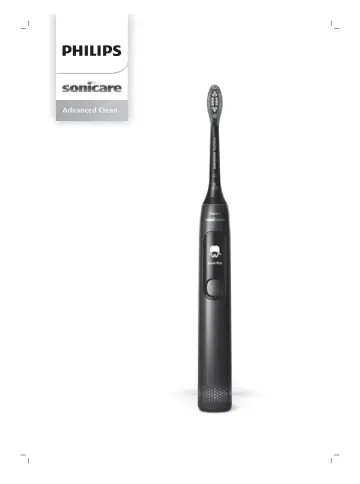
Philips HX3792 user manual
- Type
- User manual
- Language
- English
- Pages
- 750
- Category
- Electric toothbrushes
- Models
- HX3792
Open PDFOpens the file on documents.philips.com.
Contents
- Introductionp. 6
Congratulations on your purchase and welcome to Philips! To fully benefit from the support that Philips offers, register your product at…
- Important safety informationp. 6
Only use the product for its intended purpose. Read this information carefully before you use the product and its batteries and accessories, and save it for…
- Your Philips Sonicare (Fig 1.)p. 9
1 Brush head cap 2 Smart brush head 3 BrushSync symbol 4 Handle 5 Smart display 6 Power/mode button 7 Pressure sensor indicator 8 USB charger (wall adapter not…
- Getting startedp. 10
Attaching the brush head 1 Align the brush head so the bristles point in the same direction as the front of the handle. 2 Firmly press the brush head down onto…
- Using your Philips Sonicare toothbrushp. 10
If you are using your Sonicare toothbrush for the first time, it is normal to feel more vibration than when using a non-electric toothbrush. It is common for…
- Modesp. 12
Your power toothbrush is equipped with five different modes: Clean, Deep Clean, Gum Pro, Sensitive, and White. Based on the smart brush head you use; the…
- BrushSync technologyp. 13
enables your brush head to communicate with your handle using a microchip. The symbol at the bottom of the brush head indicates that the brush head is equipped…
- Featuresp. 14
Pressure sensor - SmarTimer - Brushing reports - QuadPacer - EasyStart - Brush head replacement reminder - Brush head mode pairing Pressure Sensor Your Philips…
- Charging and battery statusp. 17
Charging your Philips Sonicare 1 Attach the USB charger to a wall adapter and plug the wall adapter into an electrical outlet. 2 Place the handle on the…
- Activating or deactivating featuresp. 17
You can activate or deactivate the following features of your toothbrush: - EasyStart - Brush head replacement reminder
- Cleaningp. 19
You should clean your Philips Sonicare toothbrush regularly to remove toothpaste and other residue. Failure to clean your Philips Sonicare toothbrush may…
- Storagep. 20
If you are not going to use the product for a long time, unplug it, and clean it (see chapter 'Cleaning'). Store it in a cool and dry place away from direct…
- Locating the model numberp. 20
Look on the bottom of the Philips Sonicare toothbrush handle for the model number (HX379x). Troubleshooting This chapter summarizes the most common problems…
- Troubleshootingp. 20
This chapter summarizes the most common problems you could encounter with the appliance. If you are unable to solve the problem with the information below…
- Warranty and supportp. 21
If you need information or support, please visit www.philips.com/support or read the international warranty leaflet. Warranty restrictions The terms of the…
- Warranty restrictionsp. 21
The terms of the international warranty do not cover the following: - Brush heads. - Damage caused by use of unauthorized replacement parts. - Damage caused by…
- Recyclingp. 22
This symbol means that electrical products and batteries shall not be disposed of with normal household waste. - Follow your country’s rules for the separate…
- Removal of built-in rechargeable batteryp. 22
CONTAINS LITHIUM-ION RECHARGEABLE CELL. MUST BE RECYCLED OR DISPOSED OF PROPERLY. The built-in rechargeable battery must be removed by a qualified professional…
- Girişp. 25
Alış-verişiniz üçün sizi təbrik edir və Philips-ə xoş gəlmisiniz deyirik! Philips-in təklif etdiyi dəstəkdən tam şəkildə yararlanmaq üçün məhsulunuzu…
- Təhlükəsizliklə bağlı vacib məlumatp. 25
Məhsulu yalnız təyinatı üzrə istifadə edin. Məhsulu və onun batareya, aksesuarlarını istifadə etməzdən əvvəl bu məlumatları diqqətlə oxuyun və gələcəkdə…
- Philips Sonicare (Şək. 1.)p. 28
ça başlığının qapağı 2 Smart fırça başlığı
- Başlamaqp. 29
Əlavə edilmiş fırça başlığı 1 Fırça başlığını elə düzün ki, tükcüklər tutacağın qabaq hissəsi ilə eyni istiqamətə yönəlsin. 2 Fırça başlığını dayanana qədər…
- Philips Sonicare diş fırçasından istifadəp. 29
Sonicare diş fırçanızı ilk dəfə istifadə edirsinizsə, elektriksiz diş fırçasından istifadə etdikdən daha çox vibrasiya hiss etməyiniz normal haldır. İlk dəfə…
- Rejimlərp. 31
ini istifadə etdiyiniz zaman əlavə vaxt əlavə olunur. 7 Fırçalama müddəti tamamladıqdan sonra dişlərinizin çeynəmə səthlərini və ləkələrin meydana gəldiyi…
- BrushSync texnologiyasıp. 33
"BrushSync" texnologiyası fırça başlığının mikroçip vasitəsilə tutacaq ilə birlikdə işləməsinə imkan verir. Fırça başlığının aşağısındakı simvolu onun bu…
- Xüsusiyyətlərp. 33
Təzyiq sensoru - SmarTimer - Fırçalama hesabatları - QuadPacer funksiyası - EasyStart - Fırça başlığını dəyişdirmək üçün xatırladıcı - Fırça başlığı rejiminin…
- Doldurma və batareya statusup. 36
Philips Sonicare şarj edilməsi 1 USB şarj kabelini divar adapterinə qoşun və divar adapterini elektrik rozetkasına taxın. 2 Tutacağı qoşulmuş şarj cihazına…
- Xüsusiyyətləri aktivləşdirmə və ya deaktivləşdirməp. 37
Diş fırçanızın aşağıdakı xüsusiyyətlərini aktivləşdirə və ya deaktivləşdirə bilərsiniz: - EasyStart - Fırça başlığını dəyişdirmək üçün xatırladıcı Bu…
- Təmizlikp. 38
Diş pastası və digər qalıqları təmizləmək üçün Philips Sonicare diş fırçanızı mütəmadi olaraq təmizləməlisiniz. Philips Sonicare diş fırçanızın təmizlənməməsi…
- Saxlanmap. 39
Məhsulu uzun müddət istifadə etməyəcəksinizsə, onu elektrik şəbəkəsindən ayırın və təmizləyin (“Təmizləmə” bölməsinə baxın). Birbaşa günəş işığının təsirindən…