Loading manual…
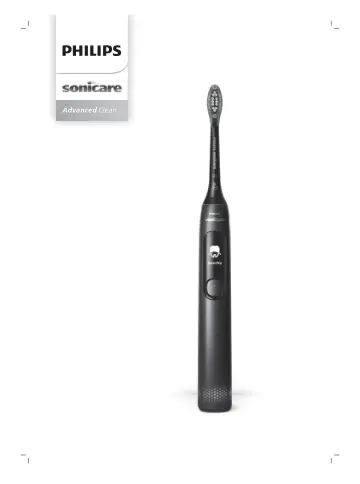
Philips HX3792 user manual
- Type
- User manual
- Languages
- English, French
- Pages
- 138
- Category
- Electric toothbrushes
- Models
- HX3792
Open PDFOpens the file on documents.philips.com.
Contents
- Introductionp. 6
Congratulations on your purchase and welcome to Philips! To fully benefit from the support that Philips offers, register your product at…
- Important safety informationp. 6
Only use the product for its intended purpose. Read this information carefully before you use the product and its batteries and accessories, and save it for…
- SAVE THESE INSTRUCTIONSp. 9
Your Philips Sonicare (Fig 1.) 1 Brush head cap 2 Smart brush head 3 BrushSync symbol 4 Handle 5 Smart display 6 Power/mode button 7 Pressure sensor indicator…
- Your Philips Sonicare (Fig 1.)p. 9
1 Brush head cap 2 Smart brush head 3 BrushSync symbol 4 Handle 5 Smart display 6 Power/mode button 7 Pressure sensor indicator 8 USB charger (wall adapter not…
- Getting startedp. 9
Attaching the brush head 1 Align the brush head so the bristles point in the same direction as the front of the handle. 2 Firmly press the brush head down onto…
- Using your Philips Sonicare toothbrushp. 9
If you are using your Sonicare toothbrush for the first time, it is normal to feel more vibration than when using a non-electric toothbrush. It is common for…
- Modesp. 11
7 After you have completed the brushing cycle, you can spend additional time brushing the chewing surfaces of your teeth and areas where staining occurs. You…
- BrushSync technologyp. 13
enables your brush head to communicate with your handle using a microchip. The symbol at the bottom of the brush head indicates that the brush head is equipped…
- Featuresp. 13
Pressure sensor - SmarTimer - Brushing reports - QuadPacer - EasyStart - Brush head replacement reminder - Brush head mode pairing Pressure Sensor Your Philips…
- Charging and battery statusp. 16
Charging your Philips Sonicare 1 Attach the USB charger to a wall adapter and plug the wall adapter into an electrical outlet. 2 Place the handle on the…
- Activating or deactivating featuresp. 17
You can activate or deactivate the following features of your toothbrush: - EasyStart - Brush head replacement reminder To activate or deactivate these…
- Cleaningp. 18
You should clean your Philips Sonicare toothbrush regularly to remove toothpaste and other residue. Failure to clean your Philips Sonicare toothbrush may…
- Storagep. 19
If you are not going to use the product for a long time, unplug it, and clean it (see chapter 'Cleaning'). Store it in a cool and dry place away from direct…
- Locating the model numberp. 19
The model number begins with “HX” (e.g. HX123A) and can be found on the bottom of your toothbrush. Troubleshooting This chapter summarizes the most common…
- Troubleshootingp. 19
This chapter summarizes the most common problems you could encounter with the appliance. If you are unable to solve the problem with the information below…
- Warranty and supportp. 20
If you need information or support, please visit www.philips.com/support or read the international warranty leaflet. WARRANTY EXCLUSIONS What is not covered…
- Recyclingp. 21
This symbol means that electrical products and batteries shall not be disposed of with normal household waste. - Follow your country’s rules for the separate…
- Removal of built-in rechargeable batteryp. 21
CONTAINS LITHIUM-ION RECHARGEABLE CELL. MUST BE RECYCLED OR DISPOSED OF PROPERLY. The built-in rechargeable battery must be removed by a qualified professional…
- Introductionp. 24
Félicitations pour votre achat et bienvenue dans l'univers Philips ! Pour profiter pleinement de l'assistance offerte par Philips, enregistrez votre produit à…
- Informations de sécurité importantesp. 24
N’utilisez le produit que pour l’usage auquel il est destiné. Lisez attentivement ces renseignements avant d’utiliser le produit, sa batterie et ses…
- CONSERVEZ CES CONSIGNESp. 27
Votre Philips Sonicare (Fig. 1) 1 Capuchon de tête de brosse 2 Tête de brosse intelligente 3 Symbole BrushSync 4 Manche 5 Affichage intelligent 6 Bouton…
- Votre Philips Sonicare (Fig. 1)p. 27
1 Capuchon de tête de brosse 2 Tête de brosse intelligente 3 Symbole BrushSync 4 Manche 5 Affichage intelligent 6 Bouton marche/mode 7 Indicateur de capteur de…
- Préparationp. 28
Fixation de la tête de brosse 1 Alignez la tête de brosse afin que les poils soient dans le même axe que l’avant du manche. 2 Pressez fermement la tête de…
- Utilisation de votre brosse à dents Philips Sonicarep. 28
Si vous utilisez votre brosse à dents Philips Sonicare pour la première fois, il est normal de ressentir plus de vibrations qu’avec une brosse à dents…
- Modesp. 30
Votre brosse à dents électrique est équipée de cinq modes différents : Clean, Deep Clean, Gum Pro, Sensitive et White. Selon la tête de brosse intelligente que…
- Technologie BrushSyncp. 32
La technologie BrushSync permet à votre tête de brosse de communiquer avec votre manche à l’aide d’une puce. Le symbole au bas de la tête de brosse indique que…
- Caractéristiquesp. 32
Capteur de pression - SmarTimer - Rapports de brossage - Fonction QuadPacer - Fonction EasyStart - Rappel de remplacement de la tête de brosse - Sélection…
- Charge et niveau de la batteriep. 35
Chargement de votre brosse à dents Philips Sonicare 1 Fixez le chargeur USB sur un adaptateur mural et branchez ce dernier dans une prise électrique. 2 Placez…
- Activation ou désactivation de fonctionnalitésp. 36
Vous pouvez activer ou désactiver les fonctionnalités suivantes de votre brosse à dents : - EasyStart - Rappel de remplacement de la tête de brosse Pour…
- Nettoyagep. 37
Vous devez nettoyer votre brosse à dents Philips Sonicare régulièrement pour enlever le dentifrice et autres résidus. Si vous ne nettoyez pas votre brosse à…