Loading manual…
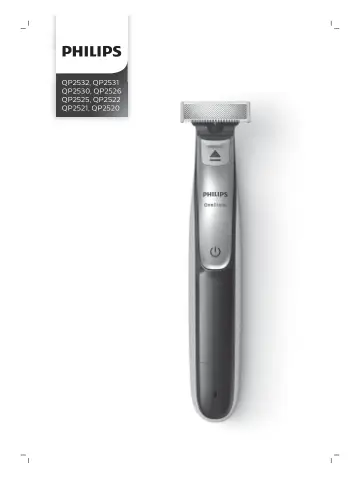
Philips QP2532 user manual
- Type
- User manual
- Language
- English
- Pages
- 24
- Category
- Shavers & trimmers
- Models
- QP2520QP2521QP2522QP2525QP2526QP2530QP2531QP2532
Open PDFOpens the file on documents.philips.com.
Contents
- Introductionp. 6
Congratulations on your purchase and welcome to Philips! To fully benefit from the support that Philips offers, register your product at…
- General description (Fig. 1)p. 6
1 Protection cap 2 Blade 3 Blade release slide 4 On/off button 5 Battery status indicator (QP2532, QP2531, QP2530 only) 6 Small plug 7 Battery charging…
- Important safety informationp. 6
Read this important information carefully before you use the appliance and its accessories and save it for future reference. The accessories supplied may vary…
- Dangerp. 7
Keep the supply unit dry. Warning - To charge the battery, only use the detachable supply unit provided with the appliance. For the type number of the original…
- Warningp. 7
To charge the battery, only use the detachable supply unit provided with the appliance. For the type number of the original supply unit, please see ' General…
- Cautionp. 8
Never immerse the charging stand in water and do not rinse it under the tap. - Do not use the supply unit in or near wall sockets that contain an electric air…
- Electromagnetic fields (EMF)p. 8
This Philips appliance complies with all applicable standards and regulations regarding exposure to electromagnetic fields. General - This appliance is…
- Generalp. 8
This appliance is waterproof. It is suitable for use in the bath or shower and for cleaning under the tap. For safety reasons, the appliance can therefore only…
- Chargingp. 8
stand in water and do not rinse it under the tap. - Do not use the supply unit in or near wall sockets that contain an electric air freshener to prevent…
- Battery status indicator QP2532, QP2531, QP2530:p. 9
When the battery status indicator flashes orange, the battery is almost empty. When the appliance is charging, the battery status indicator light flashes…
- Battery status indicator QP2526, QP2525, QP2522, QP2521, QP2520:p. 9
The battery status is indicated by the performance of the appliance. When the appliance starts working more slowly, the battery is almost empty and needs to be…
- Charging with the supply unitp. 10
1 Insert the small plug into the appliance and put the supply unit in the wall socket. 2 QP2532, QP2526, QP2525, QP2522, QP2521, QP2520 only: The battery…
- Using the appliancep. 10
You can use the appliance to trim, edge or shave facial hair (beard, moustache and sideburns). Shave for a smooth result, trim to obtain a certain length and…
- Switching the appliance on and offp. 10
1 To switch on the appliance, press the on/off button once. 2 To switch off the appliance, press the on/off button once. 10 English
- Shavingp. 11
Warning: Before you use the appliance, always check the blade for damage or wear. If the blade is damaged or worn, do not use the appliance, as injury may…
- Edgingp. 12
You can also use both edges of the blade to create sharp lines and perfect edges. Hold the appliance in such a way that the blade is perpendicular to the skin…
- Trimmingp. 12
combs The click-on stubble combs allow you to trim hair to different lengths. - QP2532, QP2531 and QP2530 come with 4 click-on stubble combs: 5 mm, 3 mm, 2 mm…
- Cleaning and maintenancep. 14
Clean the appliance after every use. Caution: Never use compressed air, scouring pads, abrasive cleaning agents or aggressive liquids such as petrol or acetone…
- Cleaning the appliancep. 14
1 Remove the comb from the blade. Always switch off the appliance before putting on or taking off combs. 2 If a lot of hairs have accumulated on the comb…
- Storagep. 15
Always attach the protection cap on the blade to protect the blade from damage during travelling or storage. We advise you to let the appliance and its…
- Replacementp. 16
Usage indicator For optimal cutting and gliding performance, we advise you to replace the blade every 4 months, when it no longer provides the shaving or…
- Usage indicatorp. 16
For optimal cutting and gliding performance, we advise you to replace the blade every 4 months, when it no longer provides the shaving or trimming results you…
- Replacing the bladep. 16
1 Switch off the appliance. 1 2 2 Push the blade release slide upwards carefully, and hold the blade on both sides to remove the blade. This will prevent the…
- Ordering accessoriesp. 17
To buy accessories or spare parts, visit www.philips.com/parts-and-accessories or go to your Philips dealer. You can also contact the Philips Consumer Care…
- Recyclingp. 17
Do not throw away the product with the normal household waste at the end of its life, but hand it in at an official collection point for recycling. By doing…
- Removing the rechargeable batteryp. 17
Only remove the rechargeable battery when you discard the product. Before you remove the battery, make sure that the product is disconnected from the wall…
- Warranty and supportp. 19
If you need information or support, please visit www.philips.com/support or read the international warranty leaflet. Warranty restrictions The blade is not…
- Warranty restrictionsp. 19
The blade is not covered by the terms of the international warranty because it is subject to wear. Troubleshooting This chapter summarizes the most common…
- Troubleshootingp. 19
This chapter summarizes the most common problems you could encounter with the appliance. If you are unable to solve the problem with the information below…