Loading manual…
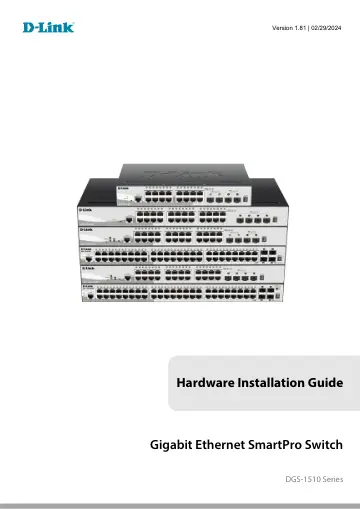
Epson D-Link 28-Port Gigabit Stackable Smart Managed Switch including 4 x 10G SFP+ (DGS-1510-28X) installation instructions
- Type
- Installation instructions
- Language
- English
- Pages
- 54
- Category
- Network switches
- Models
- DGS-1510-28X
Open PDFOpens the file on objects.icecat.biz.
Contents
- Intended Readersp. 5
Typographical Conventions
- Typographical Conventionsp. 5
Notes, Notices, and Cautions The DGS-1510 Series Hardware Installation Guide contains information about the configuration and management of the switch. This…
- Notes, Notices, and Cautionsp. 5
The DGS-1510 Series Hardware Installation Guide contains information about the configuration and management of the switch. This manual is intended for network…
- 1. Introductionp. 6
Switch Description Package Contents Features Front-Panel Components Rear Panel Components Side Panel Components This Hardware Installation Guide is a detailed…
- 2. Installationp. 18
Installation Guidelines Power On (AC Power) Installation Guidelines Please follow these guidelines for setting up the Switch: • Install the Switch on a sturdy…
- 3. Connecting the Switchp. 26
Switch to End Node Switch to another Switch Switch to a Server Switch to End Node An End Node can be any networking device, plugged into any of the networking…
- 4. Introduction to Switch Managementp. 28
Management Options Connecting the Console Port SNMP Settings Management Options This Switch can be managed, out-of-band, through the console port on the front…
- 5. Web-based Switch Configurationp. 34
Introduction Logging onto the Web Manager Web-based User Interface Introduction Most software functions of the Switch can be managed, configured, and monitored…
- Appendix A – Technical Specificationsp. 37
General Feature Detailed Description Standards IEEE 802.1AB Link Layer Discovery Protocol IEEE 802.1D-2004 Spanning Tree Protocol IEEE 802.1p Priority Queues…
- Appendix B – Cables and Connectorsp. 45
Ethernet Cable When connecting the Switch to another switch, a bridge or hub, a normal cable is necessary. Please review these products for matching cable pin…
- Appendix C – ERPS Informationp. 49
Only hardware-based ERPS (external PHY) supports the fast link drop interrupt feature with a recovery time of 50ms. Model Name ERPS Port 1 to 20 DGS-1510-20…
- Safety/Sécuritép. 50
Safety Instructions Consignes de sécurité General Precautions for Rack-Mountable Products Protecting Against Electrostatic Discharge Safety Instructions Please…