Loading manuals…
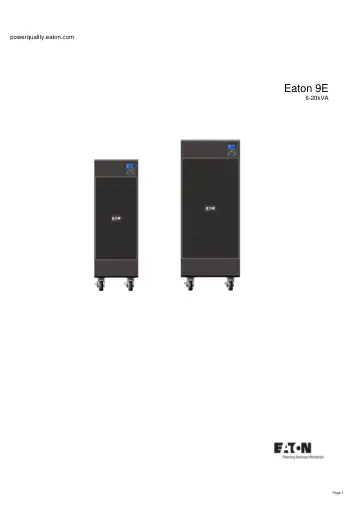
Eaton 9E1000I manual
1 document in 2 languages
What's in the Eaton 9E1000I user manual
From Eaton 9E (9E1000I) user manual · 22 pages · mm. Tap a section to open the PDF at its page.
- 1. Introductionp. 3
1.1 Safety instruction • The UPS must be installed and maintained exclusively by quailified staff. See installation and operation instructions before…
- 1.1 Safety instructionp. 3
The UPS must be installed and maintained exclusively by quailified staff. See installation and operation instructions before connecting to the supply. • The…
- 1.2 Certification Standardsp. 4
1.3 Special Symbols The following are examples of symbols used on the UPS or accessories to show you the important information: Safety IEC 62040-1:2008 IEC…
- 1.3 Special Symbolsp. 4
The following are examples of symbols used on the UPS or accessories to show you the important information: Safety IEC 62040-1:2008 IEC 60950-1:2005 (Modified)…
- 2.1 Model Listp. 5
Model Power Ratings PF Voltage (Output) 9E6Ki 6kVA/4.8kW 0.8 230V (220/240) 9E10Ki 10kVA/8kW Combo 0.8 230V (220/240) 9E10KiXL 10kVA/8kW Combo 0.8 230V…
- 2.2 Electrical structurep. 5
9E6Ki INPUT OUTPUT N L N L1 Input filter AC/DC—DC/AC Output filter Internal power Charger Battery Input Switch Bypass Maintain Switch ` Output Switch Main…
- 2.2 UPS viewsp. 6
2.2.1 UPS FRONT VIEW ① Display ② Multipurpose buttons ③ Wheels (front wheels swivel and can be locked, fixed rear wheels)
- 3.1 Unpackingp. 9
1. Cut the straps and carefully remove the cardboard box by sliding it upwards. 2. Remove the accessory box, the wooden slide and the top polystyrene foam…
- 3.2 Package contentp. 9
After opening the packaging, it is first necessary to check the contents. The package must contain: UPS USB cable RS232 cable Jumper (15/20kVA models only)…
- 3.3 Connectionp. 10
3.3.1 INSTALLATION REQUIREMENTS Warning: Installation must be performed by qualified personnel. The first connection to perform is the protective conductor…
- 4.1 Display and Buttonsp. 16
Fig. 4-1 Control Panel The following tables shows the buttons, LCD indicator and LED indicator status and description: Table 4-1 Control Buttons Functions The…
- 4.2 Operating UPSp. 18
Notice: Please switch off the connected loads first before turning on the UPS, and switch on the loads one by one after the UPS is turned on. Switch off all of…
- 4.3 Configurationp. 19
4.3.1 COMMUNICATION PORTS On the back of the UPS (see UPS Views), the following communication ports are present: RS232 connector, USB connector, Slot for…
- 4.4 Trouble shootingp. 20
- 4.5 Alarm codesp. 21
Using a sophisticated self-diagnosis system, the UPS is able to check its own status and any anomalies and/or faults which may occur during normal operation…
- 5.Technical datap. 22