Loading manuals…
Loading manuals…
Home Monitor HD · Security cameras
2 documents in 6 languages
From D-Link Home Monitor HD (DCS-935L) user manual · 63 pages · English. Tap a section to open the PDF at its page.
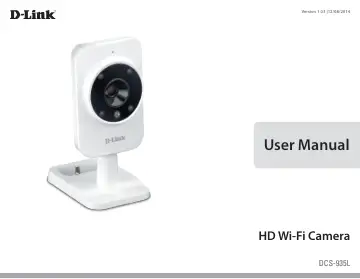
DCS-935L HD Wi-Fi Camera • Power Adapter • Quick Install Guide • Mounting Kit • Quick Install Card If any of the above items are missing, please contact your…
Computer with Microsoft Windows® 8/7/Vista, or Mac with OS X 10.6 or higher • PC with 1.3GHz or above and at least 128MB RAM • Internet Explorer 7, Firefox 12…
Congratulations on your purchase of the DCS-935L HD Wi-Fi Camera. The DCS-935L is a versatile and unique solution for your small office or home. Unlike a…
Wireless AC Support The DCS-935L offers 802.11ac wireless, making the DCS-935L easy to integrate into your existing network environment. The DCS-935L also…
Front View Camera Lens Microphone IR LEDs Light Sensor
There are two ways to set up your camera: Zero Configuration Setup: If you have a mydlink-enabled router (D-Link cloud router), this is the easiest way to set…
The D-Link Wireless Network Camera lets you access your network using a wireless connection from anywhere within the operating range of your wireless network.…
If you have a mydlink-enabled Cloud Router, you can take advantage of Zero Configuration Setup. Zero Configuration automatically configures your camera’s…
If you do not have a mydlink-enabled Cloud Router, you can configure your camera through the mydlink Home mobile app. Search for the free mydlink Home app on…
To mount your camera on a wall or ceiling, please follow the steps below. It is recommended that you configure the camera before mounting. Depending on the…
After registering your camera with a mydlink account in the Camera Installation Wizard, you will be able to remotely access your camera from the…
Accessing the Web Configuration Utility After installing and setting up your camera with the mydlink Home app, you are ready to use your camera. The camera’s…
After installing and setting up your camera with the mydlink Home app, you are ready to use your camera. The camera’s built-in Web configuration utility is…
The Live Video page lets you view the live video stream from your camera. You can choose which video profile to view by selecting H.264 or MJPEG. For…
Wizard You may choose to configure your network by using the Internet Connection Setup Wizard that includes step-by-step instructions. Please refer to Internet…
Admin This section allows you to change the administrator’s password and configure the server settings for your camera. You can also manage the user account(s)…
Device Info This section displays information about your camera and its current network and wireless status.
This section will show you the different levels of security you can use to protect your data from intruders. The DCS-935L offers the following types of…
WEP stands for Wired Equivalent Privacy. It is based on the IEEE 802.11 standard and uses the RC4 encryption algorithm. WEP provides security by encrypting…
WPA, or Wi-Fi Protected Access, is a Wi-Fi standard that was designed to improve the security features of WEP (Wired Equivalent Privacy). The 2 major…
This chapter provides solutions to problems that can occur during the installation and operation of the DCS-935L. Read the following descriptions if you are…
D-Link wireless products are based on industry standards to provide easy-to-use and compatible high-speed wireless* connectivity within your home, business or…
Check your IP address After you install your new D-Link adapter, by default, the TCP/IP settings should be set to obtain an IP address from a DHCP server (i.e.…
After you install your new D-Link adapter, by default, the TCP/IP settings should be set to obtain an IP address from a DHCP server (i.e. wireless router)…
If you are not using a DHCP capable gateway/router, or you need to assign a static IP address, please follow the steps below: Step 1 Windows® Vista - Click on…
SYSTEM REQUIREMENTS • Microsoft Windows® 8/7/Vista, or Mac with OS X 10.6 or higher • PC with 1.3 GHz or above and at least 128 MB RAM • Internet Explorer 7…