Loading manuals…
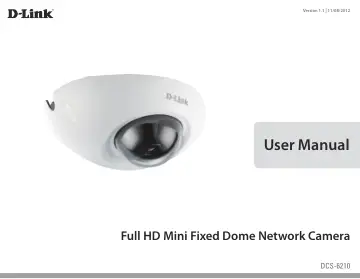
D-Link DCS-6210 manual
Security cameras
2 documents in 4 languages
What's in the D-Link DCS-6210 user manual
From D-Link DCS 6210 (DCS-6210) user manual · 63 pages · English. Tap a section to open the PDF at its page.
- Introductionp. 5
Congratulations on your purchase of the DCS-6210 Full HD Mini Fixed Dome Network Camera. The DCS-6210 is a versatile and unique solution for your small office…
- System Requirementsp. 5
- Featuresp. 6
The DCS-6210 offers Ethernet/Fast Ethernet connectivity, making the DCS-6210 easy to integrate into your existing network environment. The DCS-6210 works with…
- Hardware Overviewp. 7
Cable Harness The cable harness retains the individual cables for easier manipulation 2 Ethernet Port Connects to an RJ45 Ethernet cable or PoE cable to…
- Installing or Removing an SD Cardp. 9
Step 1: Place the camera face down on a non-slip flat surface. Step 2: Open the camera enclosure by loosening the 3 screws. Lift the dome off the base of the…
- Camera Installation Wizardp. 10
Simply click Setup Wizard to go through the Installation Wizard, which will guide you through the installation process from connecting your hardware to…
- Manual Hardware Installationp. 17
If you wish to set up your camera without using the Camera Setup Wizard, please follow these steps. General connection with 12 V DC Power Adaptor Step 1 Place…
- Adjusting the Camerap. 19
The DCS-6210 can be focused by adjusting the lens. Step 1 Place the camera on a non-slip surface. Step 2 Remove the cover by following the steps outlined in…
- Mounting the Camerap. 20
The DCS-6210 is suitable for mounting to a ceiling or wall. Step 1 Position the alignment sticker in the desired location for the camera. Step 2 Use a 6mm…
- Configurationp. 22
Using the Configuration Interface After completing the Camera Installation Wizard, you are ready to use your camera. The camera’s built-in Web configuration…
- Using the Configuration Interfacep. 22
After completing the Camera Installation Wizard, you are ready to use your camera. The camera’s built-in Web configuration utility is designed to allow you to…
- Live Videop. 23
This section shows your camera’s live video. You may select any of the available icons listed below to operate the camera. You may also select your language…
- Setupp. 25
Wizard To configure your Network Camera, click Internet Connection Setup Wizard. Alternatively, you may click Manual Internet Connection Setup to manually…
- Maintenancep. 54
Device Management You may modify the name and administrator’s password of your camera, as well as add and manage the user accounts for accessing the camera.…
- Statusp. 57
Device Info This page displays detailed information about your device and network connection.
- Technical Specificationsp. 60
Camera Camera Hardware Profile • 1/2.7” 2 Megapixel progressive CMOS sensor • Fixed Lens, focal length 4.3 mm, aperture F2.0 • 10x digital zoom • Angle of…
- Safety Statementsp. 62
CE Mark Warning: This is a Class B product. In a domestic environment, this product may cause radio interference, in which case the user may be required to…