Loading manuals…
Loading manuals…
Security cameras
2 documents in 6 languages
From D-Link DCS-5010L user manual · 48 pages · English. Tap a section to open the PDF at its page.
Trademarks D-Link and the D-Link logo are trademarks or registered trademarks of D-Link Corporation or its subsidiaries in the United States or other…
D-Link and the D-Link logo are trademarks or registered trademarks of D-Link Corporation or its subsidiaries in the United States or other countries. All other…
Package Contents • DCS-5010L Wireless N Day & Night Pan/Tilt Cloud Camera Lite • CAT5 Ethernet Cable • Power Adapter • Manual and Software on CD • Quick…
Computer with Microsoft Windows® 8/7/Vista/XP, or Mac with OS X 10.6 or higher • PC with 1.3 GHz or above and at least 128 MB RAM • Internet Explorer 7…
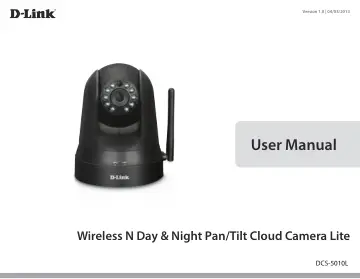
Congratulations on your purchase of the DCS-5010L Wireless N Day & Night Pan/Tilt Cloud Camera Lite. The DCS-5010L is a versatile and unique solution for your…
and functionality that help you create a full surveillance system for up to 32 cameras. With D-ViewCam, you can view multiple cameras at the same time, record…
Front View Camera Lens Microphone IR LED Light Sensor Power and Link LED WPS LED Manual Focus Bezel
There are three ways to set up your camera: Zero Configuration Setup: If you have a mydlink-enabled router (D-Link cloud router), this is the easiest way to…
Zero Configuration automatically configures your camera's settings for you, and adds the camera to your mydlink account automatically. This type of setup…
If you wish to set up your camera without using the Camera Setup Wizard, please follow these steps. Note: In order to use the mydlink features of this product…
Your D-Link Wireless Network Camera lets you access your network using a wireless connection from anywhere within the operating range of your wireless network.…
WPS Button If your router supports Wi-Fi Protected Setup (WPS), you can create a secure wireless connection using the WPS Button on the back of the camera.…
To mount your camera on a wall or ceiling, please follow the steps below. It is suggested that you configure the camera before mounting. Place the mounting…
After registering your DCS-5010L camera with a mydlink account in the Camera Installation Wizard, you will be able to remotely access your camera from the…
Using the Web Configuration Interface After completing the Camera Installation Wizard, your camera is ready to use. The camera’s built-in web configuration…
After completing the Camera Installation Wizard, your camera is ready to use. The camera’s built-in web configuration interface is designed to allow you to…
Video Compression Format: Pan/Tilt Wheel: Go To: Pan Step: Tilt Step: Language: Zoom: Audio: Night Mode: Click the H.264 or MJPEG radio button to choose which…
Wizard You may choose to configure your Internet connection by using the Internet Connection Setup Wizard that includes step-by-step instructions. Otherwise…
Admin This section allows you to change the administrator’s password and configure the server settings for your camera. You can also manage the user account(s)…
Device Info This section displays all the detailed information about your device and network settings.
1. What is Remote Access? How do I enable it? Remote Access allows you to access your camera from any PC connected to the Internet through a web browser. This…
System Requirements • Microsoft Windows® 8/7/Vista/XP, or Mac with OS X 10.6 or higher • PC with 1.3 GHz or above and at least 128 MB RAM • Internet Explorer…