Loading manuals…
D-Link DCS-4705E manual
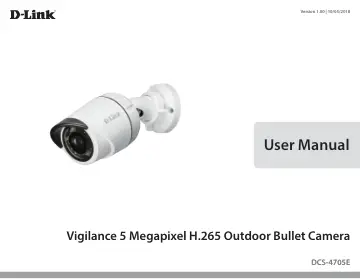
Vigilance 5 Megapixel H.265 Outdoor Bullet Camera · Security cameras
2 documents in 4 languages
What's in the D-Link DCS-4705E user manual
From D-Link Vigilance 5 Megapixel H.265 Outdoor Bullet Camera (DCS-4705E) user manual · 67 pages · English. Tap a section to open the PDF at its page.
- Introductionp. 5
The DCS-4705E Vigilance 5 Megapixel H.265 Outdoor Bullet Camera is a professional surveillance and security solution for small, medium, and large enterprises.…
- System Requirementsp. 5
- Featuresp. 6
The DCS-4705E works in any network that supports 10/100 Ethernet, making the DCS-4705E easy to integrate into your existing network environment. Advanced Event…
- Hardware Overviewp. 7
2 1 4 5 1 IR LEDs Provide illumination for low-light environments. 2 Camera Lens Camera lens to record video of the surrounding area. 3 Adjustment Ring Loosen…
- Installationp. 9
Mounting the Camera It is highly recommended that you configure and test your camera before mounting it. Refer to "Software Installation" on page 14 for more…
- Mounting the Camerap. 9
It is highly recommended that you configure and test your camera before mounting it. Refer to "Software Installation" on page 14 for more information. Step 1…
- Waterproofing Your Installationp. 11
Step 1 Place the washer around the base of the Ethernet connector as shown. Round Ethernet cable, a crimping tool, and RJ-45 plugs are required for this…
- Software Installationp. 14
- Configurationp. 17
Using the Configuration Interface After completing the Camera Installation Wizard, you are ready to use your camera. The camera’s built-in Web configuration…
- Using the Configuration Interfacep. 17
After completing the Camera Installation Wizard, you are ready to use your camera. The camera’s built-in Web configuration utility is designed to allow you to…
- Live Videop. 19
This section shows your camera’s live video. You may select any of the available icons listed below to operate the camera. You may also select your language…
- Setup Wizardp. 21
This page lets your use setup wizards to walk you through setting up your camera's network and motion detection settings. Network Setup Wizard: Motion…
- Settingsp. 26
Network Settings Use this section to configure the network connections for your camera. All relevant information must be entered accurately. Please note that…
- Advanced Setupp. 48
Advanced UPnP Enable UPnP Presentation: Enable UPnP Port Forwarding: Forwarding Port: Forwarding Status: Enabling this setting allows your camera to be…
- Camera Optionsp. 58
- Technical Specificationsp. 66
Camera Camera Hardware Profile • 1/2.5” 5-megapixel progressive CMOS sensor • 30 meter IR illumination distance • Minimum illumination: • 0.1 lux (color) •…