Loading manuals…
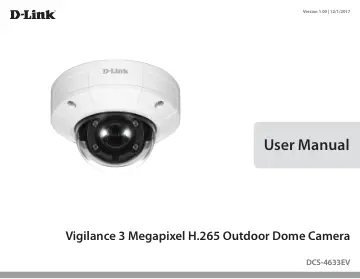
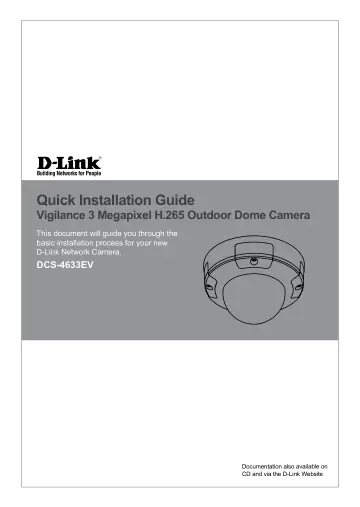
D-Link DCS-4633EV manual
Security cameras
2 documents in 3 languages
What's in the D-Link DCS-4633EV user manual
From D-Link DCS-4633EV user manual · 93 pages · English. Tap a section to open the PDF at its page.
- Introductionp. 5
The DCS-4633EV Vigilance 3 Megapixel H.265 Outdoor Dome Camera is a professional surveillance and security solution for small, medium, and large enterprises.…
- System Requirementsp. 5
- Featuresp. 6
The DCS-4633EV works in network that supports 10/100 Ethernet, making the DCS-4633EV easy to integrate into your existing network environment. Advanced Event…
- Hardware Overviewp. 7
2 3 4 1 Cover Screws These four screws can be removed with the included wrench. 2 Protective Cover Protects the camera lens assembly from the environment. 3…
- Installationp. 9
Mounting the Camera It is highly recommended that you configure and test your camera before mounting it. Step 1 Place the mounting sticker where you want to…
- Mounting the Camerap. 9
It is highly recommended that you configure and test your camera before mounting it. Step 1 Place the mounting sticker where you want to position the camera.…
- Using the DCS-37-1 Mount (optional)p. 12
To mount the camera with the DCS-37-1 mount, follow the instructions below. Step 2 Use the provided screws to mount the DCS-37-1 to the wall. Step 1 Place the…
- Using the DCS-37-2 Mount (optional)p. 14
To mount the camera with the DCS-37-2 mount, follow the instructions below. Step 2 Use the provided screws to mount the DCS-37-2 to the wall using the inner…
- Using the DCS-37-3 Mount (optional)p. 16
To mount the camera with the DCS-37-3 mount, follow the instructions below. Step 2 Use the provided screws to mount the DCS-37-3 to the ceiling using the inner…
- Waterproofing Your Installationp. 17
Step 1 Place the washer around the base of the Ethernet connector as shown. To waterproof your camera installation, follow the instructions below. Round…
- Configurationp. 23
Using the Configuration Interface After completing the Camera Installation Wizard, you are ready to use your camera. The camera’s built-in Web configuration…
- Using the Configuration Interfacep. 23
After completing the Camera Installation Wizard, you are ready to use your camera. The camera’s built-in Web configuration utility is designed to allow you to…
- Live Videop. 25
This section shows your camera’s live video. You may select any of the available icons listed below to operate the camera. You may also select your language…
- Setup Wizardp. 27
The Setup Wizard walks you through setting up your camera's network and motion detection settings. Network Setup Wizard: Motion Detection Setup Wizard: Click…
- Settingsp. 33
Network Settings Use this section to configure the network connections for your camera. All relevant information must be entered accurately. Please note that…
- Advanced Setupp. 60
Advanced UPnP Enable UPnP Presentation: Enable UPnP Port Forwarding: Forwarding Port: Forwarding Status: Enabling this setting allows your camera to be…
- Camera Optionsp. 71
- Technical Specificationsp. 79
Camera Camera Hardware Profile • 1/3” 3 Megapixel progressive scan CMOS sensor • 20 meter IR illumination distance • Minimum illumination: • 0.01 lux / F1.85…
- Regulatory Informationp. 83
Federal Communication Commission Interference Statement: This equipment has been tested and found to comply with the limits for a Class A digital device…