Loading manuals…
ATEN VPK312 manual
12-key Network Remote Pad · Other network devices
2 documents in 4 languages
What's in the ATEN VPK312 user manual
From ATEN 12-Key Network Remote Pad (EU, 2 Gang) (VPK312K1-AT-G) user manual · 31 pages · English. Tap a section to open the PDF at its page.
- EMC Informationp. 2
FEDERAL COMMUNICATIONS COMMISSION INTERFERENCE STATEMENT: This equipment has been tested and found to comply with the limits for a Class A digital device…
- RoHSp. 2
This product is RoHS compliant.
- User Informationp. 3
Online Registration Be sure to register your product at our online support center
- Online Registrationp. 3
Be sure to register your product at our online support center
- Telephone Supportp. 3
For telephone support, call this number
- User Noticep. 3
All information, documentation, and specifications contained in this manual are subject to change without prior notification by the manufacturer. The…
- About this Manualp. 6
This user manual is provided to help you get the most from the Remote Pad unit. It covers all aspects of installation, configuration, and operation. An…
- Conventionsp. 7
This manual uses the following conventions
- Product Informationp. 7
For information about all ATEN products and how they can help you connect without limits, visit ATEN on the Web or contact an ATEN Authorized Reseller. Visit…
- Introduction and Getting Startedp. 9
Overview The VPK312 is a 12-key, network-based remote pad designed for operation control of ATEN Presentation Switches. The VPK312 Remote Pad offers an…
- Overviewp. 9
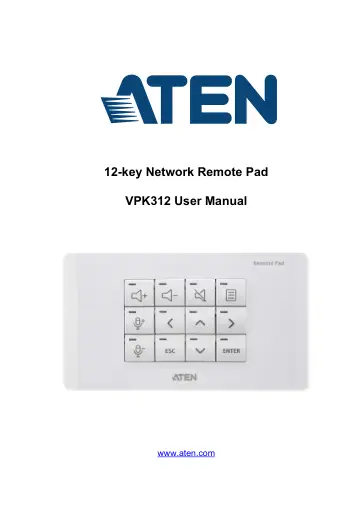
The VPK312 is a 12-key, network-based remote pad designed for operation control of ATEN Presentation Switches. The VPK312 Remote Pad offers an intuitive…
- Featuresp. 9
12-key Network Remote Pad for ATEN Presentation Switches Easy paring with a Presentation Switch via the Presentation Switch’s web console Simple…
- Getting Started Tasksp. 10
Refer to the following table for a list of getting started tasks. Getting Started Tasks Step-by-step Instructions 1. Preparation: Decide an installation…
- Hardware Setupp. 11
Components This section provides an overview of the VPK312’s hardware components, their locations and functions. 1. Please review the safety information…
- Componentsp. 11
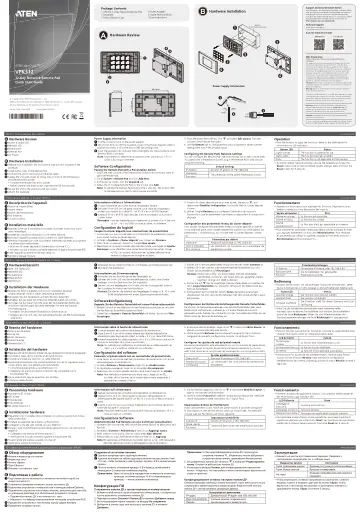
This section provides an overview of the VPK312’s hardware components, their locations and functions. 1. Please review the safety information regarding the…
- Installationp. 13
Installing the Remote Pad Follow the steps below to safely install the Remote Pad. 1. Prepare the installation site. a) Refer to the Panel Mount Cutout diagram…
- Administrator Settingsp. 15
Overview This chapter provides function descriptions for Remote Pad’s settings and suggested procedures for configuring the device
- Overviewp. 15
This chapter provides function descriptions for Remote Pad’s settings and suggested procedures for configuring the device
- Loginp. 15
To access Remote Pad’s administrator settings, log in its web console via the host Presentation Switch or by typing the Remote Pad’s IP address if you have the…
- Configuring the Key Layoutp. 18
The Remote Pad comes with four default templates that are also configurable. Note that the key layout can only be configured once the Remote Pad is paired with…
- Exporting and Importing Layoutp. 19
To export/import all the layout templates, log in the Remote Pad’s web interface and then click Export Layout/Import Layout.
- Firmware Upgradesp. 20
- Configuring the Network Settingsp. 20
Web Console To configure the Remote Pad’s network settings, log in the web interface, and then go to the Settings tab. DHCP: Select this option for a…
- Restoring System Defaultsp. 21
1. Log in the Remote Pad’s web interface, and then go to the Settings tab. 2. Click Restore Device Defaults and follow the on-screen instructions to complete…
- Appendixp. 23
Safety Instructions General This product is for indoor use only. Read all of these instructions. Save them for future reference. Follow all warnings and…
- Safety Instructionsp. 23
General This product is for indoor use only. Read all of these instructions. Save them for future reference. Follow all warnings and instructions marked…
- Technical Supportp. 25
International For online technical support – including troubleshooting, documentation, and software updates: http://support.aten.com For telephone support…
- Specificationsp. 26
Hardware Interfaces Keypad Layout 12 engraved buttons Ethernet 1 x RJ-45 Female, 10/100 Base-T Supported protocol: DHCP, HTTP/HTTPS DHCP-enabled. The…
- Limited Warrantyp. 31
ATEN warrants its hardware in the country of purchase against flaws in materials and workmanship for a Warranty Period of two [2] years (warranty period may…
The same user manual covers VPK312K1-AT-G.