Loading manuals…
ATEN VB100 manual
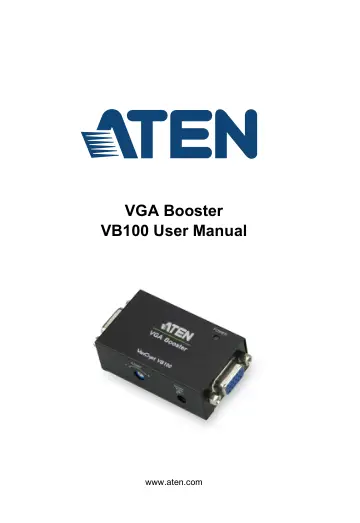
VGA Booster
2 documents in 4 languages
What's in the ATEN VB100 user manual
From ATEN VGA Booster (VB100) user manual · 19 pages · English. Tap a section to open the PDF at its page.
- User Informationp. 3
Online Registration Be sure to register your product at our online support center
- Online Registrationp. 3
Be sure to register your product at our online support center
- Telephone Supportp. 3
For telephone support, call this number
- User Noticep. 3
All information, documentation, and specifications contained in this manual are subject to change without prior notification by the manufacturer. The…
- Basic Packagep. 4
The basic VB100 package consists of: 1 VB100 VGA Booster 1 Power Adapter 1 User Instructions* Check to make sure that all the components are present and…
- About this Manualp. 6
This User Manual is provided to help you get the most from your device. It covers all aspects of installation, and operation. An overview of the information…
- Conventionsp. 7
This manual uses the following conventions
- Product Informationp. 7
For information about all ATEN products and how they can help you connect without limits, visit ATEN on the Web or contact an ATEN Authorized Reseller. Visit…
- Chapter 1 Introductionp. 9
Overview The VB100 VGA Booster amplifies the VGA signal from a source device and transmits it to a display up to 70 meters away. The VGA booster extends the…
- Overviewp. 9
The VB100 VGA Booster amplifies the VGA signal from a source device and transmits it to a display up to 70 meters away. The VGA booster extends the display…
- Featuresp. 9
Long distance transmission – up to 70 m Adjustable video compensation – manually adjust signal strength to compensate for distance Superior video quality…
- Requirementsp. 10
Source Device The following equipment must be installed on the source device or computer: VGA video card with HDB-15 connector Display Device A VGA, XGA…
- Componentsp. 11
Front View Rear View No. Component Description 1 Video Out Connects to a VGA monitor using a video cable. 2 Gain/Compensation Knob Use this knob to control the…
- Chapter 2 Hardware Setupp. 13
Installation Setting up the VB100 is a matter of plugging in the VGA cables. Refer to the installation diagram below (the numbers in the diagram correspond to…
- Installationp. 13
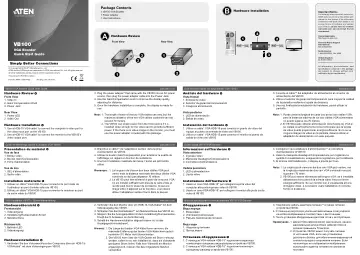
Setting up the VB100 is a matter of plugging in the VGA cables. Refer to the installation diagram below (the numbers in the diagram correspond to the numbered…
- Appendixp. 15
Safety Instructions General This product is for indoor use only. Read all of these instructions. Save them for future reference. Follow all warnings and…
- Safety Instructionsp. 15
General This product is for indoor use only. Read all of these instructions. Save them for future reference. Follow all warnings and instructions marked…
- Technical Supportp. 17
International For online technical support – including troubleshooting, documentation, and software updates: http://support.aten.com For telephone support…
- Specificationsp. 18
Function VB100 Connectors Video In 1 x HDB-15 Female (Blue) Video Out 1 x HDB-15 Female (Blue) Power Jack 1 x DC Jack Switches Manual Gain Control 1 x knob LED…
- Limited Warrantyp. 19
ATEN warrants its hardware in the country of purchase against flaws in materials and workmanship for a Warranty Period of two [2] years (warranty period may…