Loading manuals…
ATEN CE800B-AT-G manual
AT-CE800B · Docks & adapters
2 documents in 5 languages
What's in the ATEN CE800B-AT-G user manual
From ATEN AT-CE800B (CE800B-AT-G) user manual · 52 pages · English. Tap a section to open the PDF at its page.
- EMC Informationp. 2
FEDERAL COMMUNICATIONS COMMISSION INTERFERENCE STATEMENT: This equipment has been tested and found to comply with the limits for a Class A digital device…
- RoHSp. 2
This product is RoHS compliant.
- User Informationp. 3
Online Registration Be sure to register your product at our online support center: Telephone Support For telephone support, call this number: User Notice All…
- About this Manualp. 7
This User Manual is provided to help you get the most from your CE800B system. It covers all aspects of installation, configuration and operation. An overview…
- Conventionsp. 8
This manual uses the following conventions
- Product Informationp. 8
For information about all ATEN products and how they can help you connect without limits, visit ATEN on the Web or contact an ATEN Authorized Reseller. Visit…
- Chapter 1 Introductionp. 9
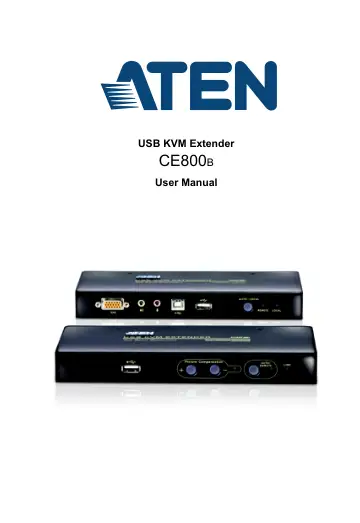
Overview The CE800B USB KVM Extender with on-board audio allows access to a computer system from a remote console (USB keyboard and mouse, monitor, stereo…
- Chapter 2 Hardware Setupp. 17
Before You Begin Rack Mounting For convenience and flexibility, the CE800B can be mounted on a system rack. To rack mount the unit do the following: 1. Using…
- Chapter 3 Operationp. 25
Basic Operation Operating Modes The CE800B USB KVM Extender utilizes three operating modes: Auto, Local, and Remote, as described in the table below: Mode…
- Chapter 4 Keyboard Emulationp. 37
Mac Keyboard The PC compatible (101/104 key) keyboard can emulate the functions of the Mac keyboard. The emulation mappings are listed in the table below.…
- Chapter 5 The Firmware Upgrade Utilityp. 39
The Windows-based Firmware Upgrade Utility (FWUpgrade.exe) provides a smooth, automated process for upgrading the KVM switch's firmware. The Utility comes as…
- Appendixp. 45
Safety Instructions General Read all of these instructions. Save them for future reference. Follow all warnings and instructions marked on the device. To…