Loading manuals…
ATEN CE250 manual
Docks & adapters
Also sold as CE250A
2 documents in 5 languages
What's in the ATEN CE250 user manual
From ATEN CE250A user manual · 33 pages · English. Tap a section to open the PDF at its page.
- Introductionp. 11
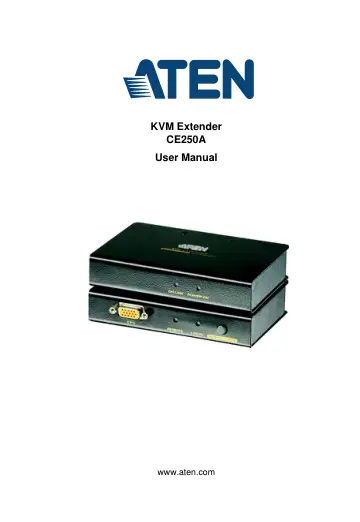
Overview The CE250A KVM Extender allows access to a computer system from a remote console (keyboard, monitor, and mouse). It is perfect for factory and…
- Overviewp. 11
The CE250A KVM Extender allows access to a computer system from a remote console (keyboard, monitor, and mouse). It is perfect for factory and construction…
- Featuresp. 12
Cat 5 (or higher) cable to connect the Local and Remote Units – up to 150 m apart Dual console operation – control your system from both the local and…
- Requirementsp. 13
Console A VGA, SVGA, or Multisync monitor capable of the highest resolution that you will be using on any computer in the installation A PS/2 keyboard A…
- Operating Systemsp. 14
Supported operating systems are shown in the table, below: OS Languages English – American English – UK French German Japanese Chinese –…
- Componentsp. 15
CE250AL (Local Unit) Front View Note: If you are combining the CE250A with a KVM switch, the KVM cable connects to the respective ports on the Console section…
- Hardware Setupp. 19
Rack Mounting For convenience and flexibility, the CE250AL and CE250AR can be mounted on system racks. To rack mount a unit do the following: 1. Unscrew either…
- Rack Mountingp. 19
For convenience and flexibility, the CE250AL and CE250AR can be mounted on system racks. To rack mount a unit do the following: 1. Unscrew either the two front…
- Installationp. 21
Grounding To prevent damage to your installation it is important that all devices are properly grounded. 1. Use a grounding wire to ground both units by…
- Operationp. 25
Operating Modes The CE250A KVM Extender has two operating modes: Local and Remote, as described in the table below
- Operating Modesp. 25
The CE250A KVM Extender has two operating modes: Local and Remote, as described in the table below
- Mode Selectionp. 25
The Operating Mode Selection Switch, located on the CE250AL’s front panel, controls the operating mode of the CE250A KVM Extender system. Pressing the switch…
- LED Displayp. 26
The CE250A Local and Remote Units have front panel LEDs to indicate their operating status, as shown in the tables, below: CE250AL (Local Unit) CE250AR (Remote…
- Appendixp. 27
Safety Instructions General Read all of these instructions. Save them for future reference. Follow all warnings and instructions marked on the device. …
- Safety Instructionsp. 27
General Read all of these instructions. Save them for future reference. Follow all warnings and instructions marked on the device. This device is for…
- Technical Supportp. 29
International For online technical support – including troubleshooting, documentation, and software updates: http://support.aten.com For telephone support…
- Specificationsp. 30
* DDC, DDC2, and DDC2B support is for the Local monitor only. Function CE250AL CE250AR Console Selection 1 x Pushbutton Connectors Console Ports KB 1 x 6-pin…
- TP Wiring Diagram and Pin Assignmentsp. 31
- Troubleshootingp. 31
- Limited Warrantyp. 32