Loading manuals…
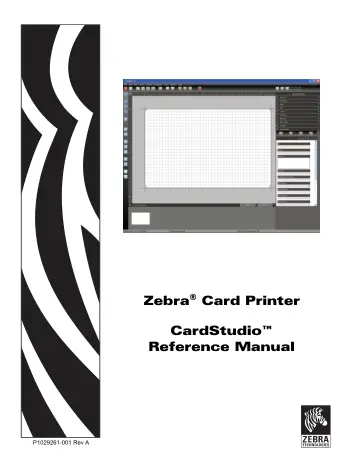
Zebra P1031776-002 manual
CardStudio, Enterpise, Network, 1U · Other network devices
1 document
What's in the Zebra P1031776-002 user manual
From Zebra CardStudio, Enterpise, Network, 1U (P1031776-002) user manual · 198 pages · English. Tap a section to open the PDF at its page.
- Introductionp. 7
1.1 Overview CardStudio is a full-feature card design and printing software application with complete capabilities for card layout and design. It is provided…
- Create a Cardp. 11
2.4 CardStudio Software Overview CardStudio is based on the use of pre-designed card templates. This greatly simplifies card design.
- Toolbarsp. 31
3.1 Introduction This section summarizes all the toolbar commands: Design, Drawing, Database, and Batch Print. You can use Toolbars for quick access to some of…
- Main Windowp. 37
4.1 Introduction The main CardStudio window, with its accompanying toolbars and menus, closely resembles the windows you work in for other Windows-based…
- Menu Commandsp. 57
5.1 Introduction This section summarizes the commands available in the CardStudio menus. Depending on the CardStudio version/edition some menu items may be not…
- Working with Objectsp. 85
- Working with Variablesp. 95
7.1 Introduction This section explains how to use variable data with the CardStudio. Contrary to fixed data, which is edited when the card is designed…
- About Bar Codesp. 97
8.1 Introduction A bar code is a machine-readable symbol representing human readable information. The information represented can be alpha or numeric only…
- Magnetic Encodingp. 101
9.1 Introduction If your printer is equipped with a magnetic stripe encoder, you can encode data onto cards that have an embedded magnetic stripe.
- Smart Card Encodingp. 105
10.1 Introduction The CardStudio allows to plug-in an executable file during the printing process. The CardStudio will call an external chip card processing…
- Overlayp. 113
11.1 Introduction An overlay (or varnish layer) is a thin transparent coating applied to a card to protect the underlying printed information from wear. You…
- Logins and Passwordsp. 117
12.1 Introduction The CardStudio provides customizable security and access level. Whenever you start the CardStudio, the Login Dialog box appears. The default…
- CardStudio and Databasesp. 123
13.1 Introduction This section explains how to work with the CardStudio and databases. Learn how to create your own database from within the CardStudio and how…
- Printingp. 145
14.1 Introduction This section explains how to setup your printer, the setup for ribbon, and the procedure to print your cards. For specific information about…
- CardStudio Templatesp. 155
A.1 Introduction The use of a card template on CardStudio allows you to choose images for predefined objects, like background and logos, as well as create new…
- Keyboard Shortcutsp. 161
B.1 Introduction This section lists the keyboard shortcuts available for the CardStudio commands.
- Conditional Printingp. 165
C.1 Introduction This appendix how to print different layouts based on one database field condition.
- FaceSnapp. 169
D.1 Introduction The FaceSnap automates the pre-processing and production of portrait photos for passports, identification cards, etc. An input image can be…
- Barcode Detailsp. 175
E.1 Introduction This section details the barcodes, both 1-dimensional and 2-dimensional) that are supported by CardStudio.
- Worldwide Supportp. 195
For Technical Support or Repair Services, contact the appropriate facility listed below. North America and Latin America - Technical Support T: +1 877 ASK…