Loading manuals…
TP-Link VIGI NVR2008H-8MP-2TB manual
Other network devices
3 documents
What's in the TP-Link VIGI NVR2008H-8MP-2TB installation instructions
From TP-Link VIGI NVR2008H-8MP-2TB installation instructions · 20 pages · English. Tap a section to open the PDF at its page.
- Front Panelp. 3
The figure is for demonstration purposes only. Your device may differ in appearance from the depicted. • VIGI NVR2016H The front panel of VIGI NVR2016H is…
- Rear Panelp. 4
- Chapter 2 Installation— ———————————p. 7
Chapter 2 Installation 2.1 Package Contents Make sure that the package contains the following items. Please contact your distributor, if any of the listed…
- Safety Precautionsp. 7
To avoid any device damage and bodily injury caused by improper use, you should observe the following rules. • Safety Precautions •Keep the power off during…
- Installation Toolsp. 10
Phillips screwdriver •ESD-preventive wrist wrap •Cables Note: These tools are not included with our product. If needed, you can purchase them separately. 2.4
- Hard Drive Installationp. 10
Before installation, please disconnect the power from the network video recorder (NVR). 1. Remove the fixing screws on the side and back panels to open the…
- Product Installationp. 12
Desktop Installation To install the device on the desktop, follow the steps: 1. Set the device on a flat surface which is strong enough to support the entire…
- Chapter 3 Hardware Connection— ——————p. 14
Chapter 3 Hardware Connection Follow the steps below to complete the hardware connection. *Only PoE NVRs have PoE ports to power PoE IPCs. Monitor Network…
- Chapter 4 Configuration———————————p. 15
Chapter 4 Configuration NVR can add and manage cameras in batches. * Here we use TP-Link cameras as an example. For other camera brands, please refer to their…
Installation instructions
TP-Link VIGI NVR2008H-8MP-2TB installation instructions
Installation instructions · English · 40 pages
TP-Link VIGI NVR2008H-8MP-2TB installation instructions
Installation instructions · English · 20 pages
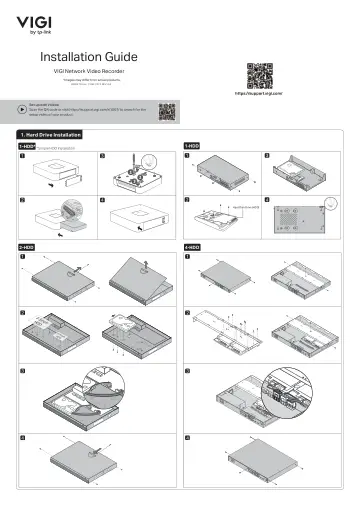
TP-Link VIGI NVR2008H-8MP-2TB installation instructions
Installation instructions · English · 2 pages