Loading manuals…
StarTech.com ST222HDBT manual
1 document
What's in the StarTech.com ST222HDBT user manual
From StarTech.com ST222HDBT user manual · 20 pages · English. Tap a section to open the PDF at its page.
- Compliance Statementsp. 2
FCC Compliance Statement This equipment has been tested and found to comply with the limits for a Class B digital device, pursuant to part 15 of the FCC Rules.…
- Safety Statementsp. 4
Safety Measures • Wiring terminations should not be made with the product and/or electric lines under power. • Product installation and/or mounting should be…
- Warning Statementsp. 5
Make sure to assemble this product according to the instructions. Failure to do so might result in personal injury or property damage. Never use this product…
- Product Diagramp. 8
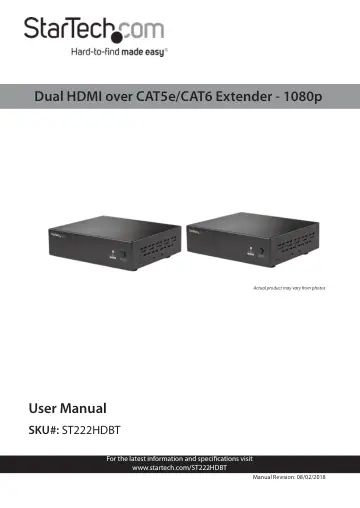
Actual product may vary from photos
- Transmitter Frontp. 8
Transmitter Back EDID Copy Button RS-232 Port IR Out Port IR In Port Toslink In Port Grounding Screw DC 12V Serial Mode Switch RJ45 Port HDMI In 1 Port HDMI In…
- Transmitter Backp. 8
EDID Copy Button RS-232 Port IR Out Port IR In Port Toslink In Port Grounding Screw DC 12V Serial Mode Switch RJ45 Port HDMI In 1 Port HDMI In 2 Port Audio In…
- Receiver Frontp. 9
Receiver Back EDID Copy Button RS-232 Port IR In Port IR Out Port Toslink Out Port Grounding Screw DC 12V RJ45 Port HDMI Out 1 Port HDMI Out 2 Port Audio Out…
- Receiver Backp. 9
EDID Copy Button RS-232 Port IR In Port IR Out Port Toslink Out Port Grounding Screw DC 12V RJ45 Port HDMI Out 1 Port HDMI Out 2 Port Audio Out Port Mic In…
- Product Informationp. 10
Package Contents • HDMI Transmitter x 1 • HDMI Receiver x 1 • Universal Power Adapters (NA/JP, EU, UK, ANZ) x 2 • Set of Mounting Brackets x 2 • IR Blaster x 1…
- Requirementsp. 10
For the latest requirements, please visit www.startech.com/ST222HDBT Installation: • Phillips Head Screwdriver x 1 • Grounding Wire x 1 • Level x 1 • Writing…
- Installationp. 11
Installing the HDMI Transmitter/Receiver 1. Set up the Video Source (e.g. computer) and the Remote Displays (place/ mount the display appropriately). 2.…
- Installing the HDMI Transmitter/Receiverp. 11
1. Set up the Video Source (e.g. computer) and the Remote Displays (place/ mount the display appropriately). 2. Position the HDMI Transmitter near the Video…
- Optional Installationp. 12
Installing the Ground Wire Grounding is recommended in environments with high levels of electromagnetic interference (EMI), or frequent electrical surges. HDMI…
- Installing the Ground Wirep. 12
Grounding is recommended in environments with high levels of electromagnetic interference (EMI), or frequent electrical surges. HDMI Transmitter or HDMI…
- Connecting a Serial Devicep. 13
You can connect a serial device using the RS-232 Port on either the HDMI Transmitter or HDMI Receiver. 1. On the HDMI Transmitter, connect the Serial Cable to…
- Using Digital Audiop. 13
The Toslink Port supports an independent S/PDIF (Sony Phillips Digital Interconnect Format) digital audio link. 1. Connect a Fiber Optic Cable (sold…
- Using 3.5 mm Audiop. 14
The Audio Out Port is used to connect an audio device (e.g. speakers) to the HDMI Transmitter and HDMI Receiver. 1. Connect a 3.5 mm Audio Cable to the Audio…
- Using a Microphonep. 14
The Mic In port is used to connect a Microphone to the HDMI Transmitter and/ or HDMI Receiver. 1. Connect a 3.5 mm Audio Cable to the Audio Out Port on the…
- Installing the IR Receiver and IR Blasterp. 15
The IR Receiver and IR Blaster can be connected to either the HDMI Transmitter or HDMI Receiver. HDMI Transmitter: If the device receiving the IR signal is at…
- Video Resolution Performancep. 16
The video resolution performance of this extender will vary depending on the length of your network cabling. For best results, StarTech.com recommends using a…
- Configurationp. 16
EDID Copy The Extended Display Identification Data (EDID) Copy Button allows you adjust the EDID settings, by either copying settings from the Video Displays…
- EDID Copyp. 16
The Extended Display Identification Data (EDID) Copy Button allows you adjust the EDID settings, by either copying settings from the Video Displays connected…
- LED Indicatorsp. 17
There is one LED Status Indicator on the HDMI Transmitter and HDMI Receiver. Function Status EDID Copy (hold the EDID button for three seconds) Flashes Green…
- Mounting the Extenderp. 17
Notes: StarTech.com is not responsible for any damages related to the installation of this product. Prior to mounting, please test the product’s port…