Loading manuals…
StarTech.com PEXHDCAP60L2 manual
PCIe HDMI Video Capture Card - HDMI, VGA, DVI, or Component Video at 1080p60 - TAA
1 document
What's in the StarTech.com PEXHDCAP60L2 user manual
From StarTech.com PCIe HDMI Video Capture Card (PEXHDCAP60L2) user manual · 12 pages · English. Tap a section to open the PDF at its page.
- Product Diagramp. 4
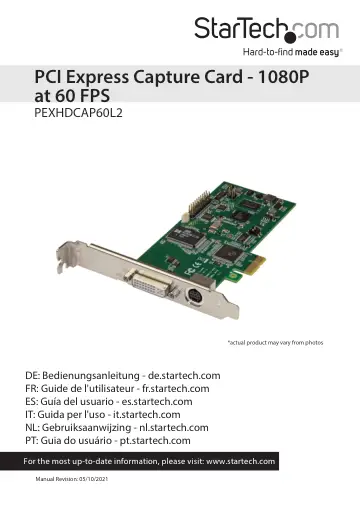
DVI input port A/V breakout cable input port (For component, s-video, and composite video input + RCA audio input)
- Introductionp. 5
Packaging contents • 1 x PCI Express capture card • 1 x DVI to HDMI adapter • 1 x DVI to VGA adapter • 1 x component video breakout cable • 1 x s-video and…
- Requirementsp. 5
A low-profile or full-profile computer system with: Available PCI-Express 2 slot CPU: i5-3330 or higher RAM: 4GB or higher Microsoft® Windows® 10, 8.1, 8, 7…
- Hardware Installationp. 6
1. Remove both of the DVI port standoff screws located on the outside of the bracket. 2. Using a Philips type screwdriver (not included), remove the screw…
- Optional: Install the low-profile bracketp. 6
- Install the capture card in your computerp. 8
1. Turn off your computer and disconnect any peripheral devices, such as printers, and external hard drives and unplug the power cable from the rear of the…
- Connect your audio/video source to the capture cardp. 9
If your video source device is DVI, connect your video source cabling (sold separately) directly to the DVI input port on the capture card. If your video…
- Software installationp. 10
Note: If the Found New Hardware Wizard appears when you boot up the computer, click Cancel
- Install the driversp. 10
1. On your computer, use a web browser to navigate to: www.StarTech.com/PEXHDCAP60L2 2. Click the Drivers/Downloads tab. 3. Under Driver(s) click the driver…
- Warranty Informationp. 11
This product is backed by a two year warranty. In addition, StarTech.com warrants its products against defects in materials and workmanship for the periods…