Loading manuals…
StarTech.com CMVER20UD manual
1 document
What's in the StarTech.com CMVER20UD user manual
From StarTech.com CMVER20UD user manual · 13 pages · English. Tap a section to open the PDF at its page.
- Introductionp. 4
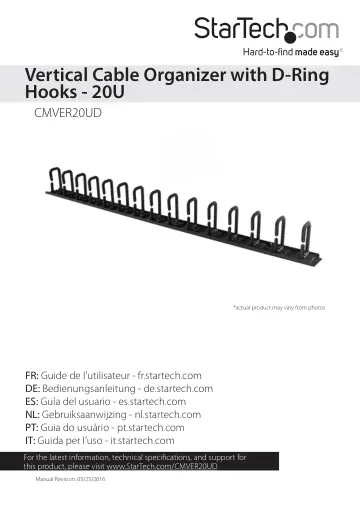
The CMVER20UD is a tool-less vertical cable organizer that works with virtually any two-post, four-post, or enclosed server rack or cabinet. The CMVER20UD…
- Product diagramp. 4
D-ring hook Mounting hole Mounting hole Front
- Installation requirementsp. 6
If you relocate or remove the mounting buttons or D-ring hooks, a Phillips screwdriver is required. Installation requirements are subject to change. For the…
- Tool-less installationp. 7
If you don’t need to move the mounting buttons or D-ring hooks, you don’t require any tools to attach the cable organizer to a server rack or cabinet. Note…
- Relocate the mounting buttonsp. 7
The mounting buttons come preinstalled but you can move them to any of the holes on the cable organizer. 1. Use a Phillips screwdriver to remove the screw from…
- Installation using toolsp. 8
If your server rack doesn’t have keyhole-shaped mounting holes, you need to
- Remove the mounting buttonsp. 8
If you want to use the holes that the mounting buttons are in to attach the cable organizer to your server rack, you need to remove the mounting buttons. • Use…
- Remove D-ring hooksp. 8
On the back of the cable organizer, use a Phillips screwdriver to remove the D-ring hook hardware. Note: Make sure that you store the D-ring hooks and hardware…
- Attach the cable organizerp. 9
After you remove the mounting buttons or D-ring hooks, complete the following to attach the cable organizer to your server rack: 1. Line up the mounting holes…
- Installation optionsp. 10
The following images show some of the CMVER20UD installation options. Attached to a vertical mounting plate
- Technical supportp. 12
StarTech.com’s lifetime technical support is an integral part of our commitment to provide industry-leading solutions. If you ever need help with your product…
- Warranty informationp. 12
This product is backed by a two-year warranty. StarTech.com warrants its products against defects in materials and workmanship for the periods noted, following…