Loading manuals…
StarTech.com ARMSLIMDUOS manual
Monitors
1 document
What's in the StarTech.com ARMSLIMDUOS user manual
From StarTech.com Desk Mount Dual Monitor Arm (ARMSLIMDUOS) user manual · 31 pages · English. Tap a section to open the PDF at its page.
- Product Diagramp. 7
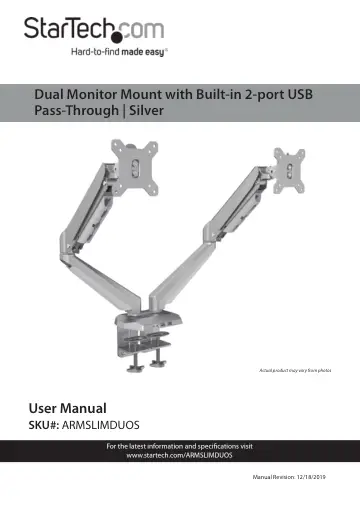
VESA Holder 5 Lower Arm 2 Upper Spring Arm 6 USB Ports and 3.5 mm Audio Ports 3 Cable Cover 7 C-Clamp 4 Cable Clip 1 2 3 4 5 6 7
- Product Dimensionsp. 8
Note: The measurements displayed are maximum measure ments and are in mm/inches, unless otherwised specified.
- Product Informationp. 9
Package Contents Arm Assembly Qty: 1 Upper Clamps Qty: 2 Lower Clamps Qty: 2 VESA Mounts Qty: 2
- Product Specificationsp. 12
- Requirementp. 13
Tools • Phillips Head Screwdriver x 1 Displays • 15” to 32” Displays x 2 Optional • USB Cables x 2 • USB Compatible Devices x 2 • 3.5 mm Headset
- Assembling the Monitor Mountp. 14
1. Align the four Screw Holes on the top of the Upper Clamps with the four Screw Holes on the bottom of the Base of the Arm Assembly. Installing the Upper…
- Mounting the Monitorsp. 18
1. Place the Monitor screen side down on a flat, clean surface. 2. (Optional) Remove any Screws or Place Holders from the VESA Mounting Holes on the back of…
- Adjusting the Monitor Mountp. 21
Adjusting the Spring Arm Tension 1. Using your hand push downward on the Spring Arm and hold it in place. 2. The Spring Arm should only be placed in a…
- Adjusting the Spring Arm Tensionp. 21
1. Using your hand push downward on the Spring Arm and hold it in place. 2. The Spring Arm should only be placed in a horizontal position. 3. Use the 5 mm Hex…
- Adjusting the Tiltp. 23
1. Use the 5 mm Hex Key to loosen the Tilt Adjustment Screw located at the back of the VESA Holder (the hex screw closest to the back of the Monitor).…
- Adjusting the Swivelp. 24
1. Use the 5 mm Hex Key to loosen the Swivel Adjustment Screw located at the back of the VESA Holder (the hex screw closest to the Spring Arm).
- Routing the Cablesp. 26
1. Run the Monitor Cables along the inside of the Spring Arm. 2. Gently push the Monitor Cables into the Cable Clip located along the inside of the Spring Arm.
- Using the 3.5 mm Audio Portp. 29
Headset or Speakers 1. Plug the Audio Cable (green) located at the back of the Monitor Mount Base into the appropriate Audio Port on the Host Computer. 2. Plug…