Loading manuals…
StarTech.com 35S24M2NGFF manual
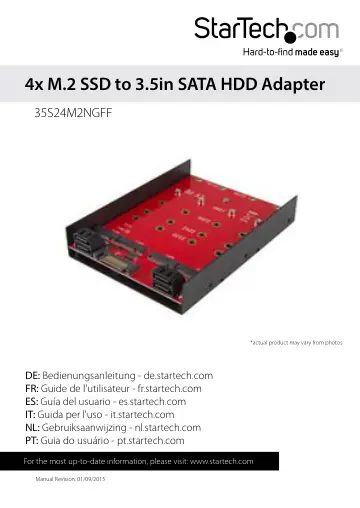
4x M.2 SATA mounting adapter for 3.5in drive bay · Docks & adapters
1 document
What's in the StarTech.com 35S24M2NGFF user manual
From StarTech.com 4x M.2 SATA mounting adapter for 3.5in drive bay (35S24M2NGFF) user manual · 12 pages · English. Tap a section to open the PDF at its page.
- Product Diagramp. 4
- Front Viewp. 4
- Top Viewp. 4
- Introductionp. 5
Packaging Contents • 1x 4x M.2 SSD to 3.5in SATA HDD Adapter (35S24M2NGFF) • 4x SATA data cables • 1x SATA power extension cable • 4x M.2 SSD Installation…
- System Requirementsp. 5
4x M.2 NGFF SATA SSD Drive • 1x Computer System with: • 1x Available 3.5in expansion bay • 4x Available SATA ports • 1x Available SATA Power connector on the…
- M.2 NGFF SSD Installationp. 5
WARNING! SSD Drives and storage adapters require careful handling. If you are not careful with your SSD Drive, lost data may result. Always handle your drive…
- System Installationp. 10
1. Open your computer case (refer to the computer case user manual for details), and place the 35S24M2NGFF with installed M.2 NGFF SSDs into an available 3.5in…
- Technical Supportp. 11
StarTech.com’s lifetime technical support is an integral part of our commitment to provide industry-leading solutions. If you ever need help with your product…
- Warranty Informationp. 11
This product is backed by a two year warranty. In addition, StarTech.com warrants its products against defects in materials and workmanship for the periods…