Loading manuals…
Sharp XE-A207B manual
1 document
What's in the Sharp XE-A207B user manual
From Sharp XE-A207B user manual · 134 pages · English. Tap a section to open the PDF at its page.
- INTRODUCTIONp. 3
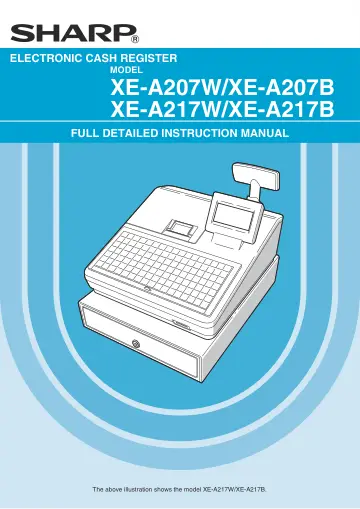
Thank you very much for your purchase of the SHARP Electronic Cash Register, Model XE-A207W/XE- A207B/XE-A217W/XE-A217B. Please read this manual carefully…
- IMPORTANTp. 3
Be very careful when removing and replacing the printer cover, as the cutter mounted on it is very sharp. • Install the cash register in a location not subject…
- 1 Part Names and Functionsp. 8
External View • •Front view (XE-A207W/XE-A207B) Printer cover Operator display Normal keyboard Drawer Drawer lock SD card slot • •Front view…
- 2 Selecting an Operating Modep. 18
When you turn the register on and press the m key, the mode selection window will appear on the display, listing available operating modes as shown below. Mode…
- 3 Prior to Making Entriesp. 20
Preparations for Entries • •Receipt paper roll If the receipt paper roll is not set in the machine or it is getting low, install a new one according to section…
- 4 Entriesp. 23
Item Entries In this manual, the key description is given basically with the model XE-A217. For those with XE-A207, refer to the Function key list on page 11.…
- 5 Correctionp. 44
Correction of the Last Entry (Direct Void) If you make an incorrect entry relating to a department, PLU/subdepartment, percentage (•, %2), discount (-), or…
- 6 Special Printing Functionp. 47
Copy Receipt Printing If your customer wants a receipt after you have finalized a transaction with the receipt ON-OFF function in the OFF status (no…
- 7 Manager Modep. 49
- 8 Reading (X) and Resetting (Z) of Sales Totalsp. 50
Use the reading function (X) when you need to take the reading of sales information entered after the last resetting. You can take this reading any number of…
- 9 Prior to Programmingp. 60
When you are in the PGM mode, the keyboard layout will be set to one of the programming layouts as shown below. Programming Keyboard Layout XE-A207W/XE-A207B…
- 10 Programmingp. 64
a Programming This chapter explains how to program various items. Before you start programming, press the j key and select the "6 PGM MODE" or "7 SD CARD MODE"…
- 11 Electronic Journalp. 118
b Electronic Journal • •Electronic journal This function is intended to record the journal data in the electronic journal file (memory) instead of journal…
- 12 EURO Migration Functionp. 119
c EURO Migration Function Basically your register can be automatically modified to correspond to the introduction of EURO by executing the operation “EURO…
- 13 Operator Maintenancep. 121
d Operator Maintenance In Case of Power Failure When power is lost, the register retains its memory contents and all information on sales entries. • When power…
- 14 Specificationsp. 131
e Specifications Model: XE-A207W/XE-A207B XE-A217W/XE-A217B Dimensions: 360 (W) x 425 (D) x 330 (H) mm Weight: Approx. 11.0 kg Power Source: Official (nominal)…