Loading manuals…
Samsung SM-R180NZKAXAR manual
Headphones & headsets
1 document
What's in the Samsung SM-R180NZKAXAR user manual
From Samsung SM-R180NZKAXAR user manual · 25 pages · English. Tap a section to open the PDF at its page.
- Samsung Galaxy Buds Live User manualp. 1
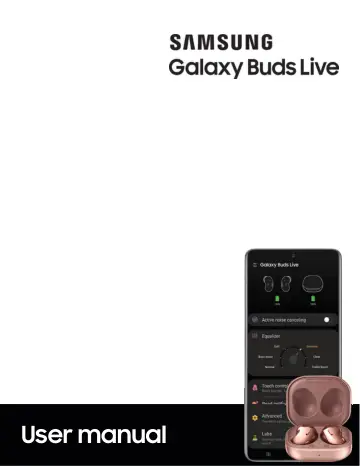
SAMSUNG Logo Galaxy Buds Live User manual
- Getting startedp. 3
Device layout Set up your device Start using your device Music features Call features 3
- Device layoutp. 4
Touch-sensitive sensor Charging contacts Wing tip Speakers Touch area Microphones Speaker Devices and software are constantly evolving — the illustrations you…
- Set up your devicep. 5
Learn more about your device hardware, assembling and charging, and how to get started using your new device. Charge the battery Your device case is also the…
- Start using your devicep. 11
To start using your earbuds connect them to your device. Connect the earbuds to your phone To connect your earbuds to a smartphone, install the Galaxy Wearable…
- Music featuresp. 14
Once connected to your phone, when you play music, videos, or other audio files the sound will come through your earbuds. You can use the touch area on the…
- Call featuresp. 15
Answer and control calls using your earbuds. Incoming calls When you receive a call while wearing the earbuds, the ringtone will play in the earbuds. You can…
- Galaxy Wearable appp. 16
Battery level Noise canceling Equalizer Touch controls Read notifications aloud Advanced Labs Find my earbuds General Earbuds software update Tips and user…
- Battery levelp. 17
The Galaxy Wearable app displays the battery level for the earbuds and charging case at the top of the screen. When the battery is low a notification will…
- Noise cancelingp. 17
Enable the noise canceling feature to reduce unwanted ambient sounds. Bullet From Galaxy Wearable, tap Active noise canceling to enable this feature.
- Equalizerp. 18
Select from six different equalizer presets for a unique sound. Bullet From Galaxy Wearable, tap an option under Equalizer to change the sound settings
- Touch controlsp. 18
Tap the touch area on your earbuds to activate different controls. The left and right earbuds can be assigned different shortcuts. TIP If the touch controls…
- Read notifications aloudp. 19
Have text notifications from your phone read aloud on your earbuds. 1. From Galaxy Wearable, tap Read notification aloud. 2. Tap On to enable the feature.…
- Advancedp. 19
Explore the earbud's advanced features. Bixby voice wake-up Activate Bixby by saying "Hi Bixby" while wearing your earbuds. Not all Bixby functions are…
- Labsp. 19
Explore the earbud's experimental features.
- Find my earbudsp. 20
If you misplace your earbuds, your phone can help you find it. 1. From Galaxy Wearable, tap Find my earbuds. 2. Tap Start. The earbuds will start beeping. 3.…
- Generalp. 20
Configure your earbud's general settings. Reset Reset settings to their factory default values and delete all data. 1. From Galaxy Wearable, tap Reset 2. Tap…
- Earbuds software updatep. 21
Update your earbud's software for the latest features. Bullet From Galaxy Wearable, tap Earbuds software update. Bullet Download and install: Check for…
- Tips and user manualp. 21
Learn useful tips to get the most out of your device, and view the user manual. Bullet From Galaxy Wearable, tap Tips and user manual. Bullet Swipe right and…
- About earbudsp. 21
View information about the earbuds. Bullet From Galaxy Wearable, tap About earbuds for the following information: Bullet Device name, model and serial number…
- Learn morep. 22
Videos youtube.com/samsungcare
- Videosp. 22
youtube.com/samsungcare
- Tipsp. 22
samsung.com/us/support/tips
- Samsung Carep. 22
samsung.com/us/support
- Talk to an agentp. 22
Contact us on Facebook Messenger Find us on Facebook Follow us on Twitter
- Legal informationp. 23
READ THIS INFORMATION BEFORE USING YOUR MOBILE DEVICE. Arbitration Agreement - This Product is subject to a binding arbitration agreement between you and…
- Samsung Knoxp. 23
is Samsung’s security platform and is a mark for a Samsung device tested for security with enterprise use in mind. Additional licensing fee may be required.…
- Restricting children’s access to your mobile devicep. 23
Your device is not a toy. Do not allow children to play with it because they could hurt themselves and others, or damage the device. Keep the device and all…
- Interference from Magnetsp. 24
WARNING: Potential Interference with Medical Devices from Magnets. The device contains magnets which may interfere with medical devices such as pacemakers…
- Samsung Electronics America, Incp. 24
Address: 85 Challenger Road Ridgefield Park New Jersey 07660 Phone: 1-800-SAMSUNG (726-7864) Internet: samsung.com ©2020 Samsung Electronics America, Inc.…