Loading manuals…
Ricoh 418572 manual
IM C300F · Printers
2 documents
What's in the Ricoh 418572 user manual
From Ricoh IM C300F (418572) user manual · 340 pages · English. Tap a section to open the PDF at its page.
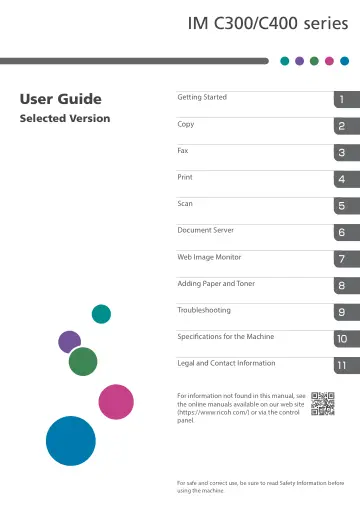
- IM C300/C400 series <User Guide Selected Version>p. 1
For safe and correct use, be sure to read Safety Information before using the machine. For information not found in this manual, see the online manuals…
- How to Read the Manualsp. 3
Symbols Used in the Manuals This manual uses the following symbols: Indicates points to pay attention to when using functions. This symbol indicates points…
- 1. Getting Startedp. 11
Turning On and Off the Power To turn the machine on and off, press the main power switch on the front of the machine. • When you are using the fax function on…
- 2. Copyp. 63
Basic Procedure for Copying Documents Set the original on the exposure glass or Auto Document Feeder (ADF) to make a copy. • If the previous setting is still…
- 3. Faxp. 83
Basic Procedure for Transmitting Faxes The machine scans an original to transmit it by fax into the machine's memory before establishing a communication with…
- 4. Printp. 97
Installing the Printer Driver by Using Device Software Manager Installer Device Software Manager is a support utility for driver installation in Windows.…
- 5. Scanp. 137
Scanning Documents and Sending the Scanned Data by E-mail Scan a document and attach the scanned data to an e-mail and send it from the machine. • Configure…
- 6. Document Serverp. 161
Storing Documents in Document Server You can store documents scanned by the machine in the document server. You can also store them using the printer driver.…
- 7. Web Image Monitorp. 167
Using Web Image Monitor Web Image Monitor is a screen to confirm the machine status and settings on the computer. When the machine and a computer can be…
- 8. Adding Paper and Tonerp. 173
Loading Paper into the Paper Tray The method of loading paper varies for each tray type. • When replacing paper or removing jammed paper, make sure not to trap…
- 9. Troubleshootingp. 205
Alert Sounds The machine notifies you with an alert sound when a paper jam occurs, the original is left on the machine, or another problem occurs. Listen to…
- 10. Specifications for The Machinep. 279
Model-Specific Information This section explains how you can identify the region your machine belongs to. There is a label on the back right side of the…
- 11. Legal and Contact Informationp. 331
Environmental Regulations ENERGY STAR Program ENERGY STAR® Program Requirements for Imaging Equipment This company is a participant in the ENERGY STAR®…