Loading manuals…
Netgear A6100-10000S manual
AC600 USB 2.0 WiFi Adapter · PC components
1 document
What's in the Netgear A6100-10000S user manual
From Netgear AC600 USB 2.0 WiFi Adapter (A6100-10000S) user manual · 38 pages · English. Tap a section to open the PDF at its page.
- A6100 WiFi USB Mini Adapterp. 1
- 1. Getting Startedp. 4
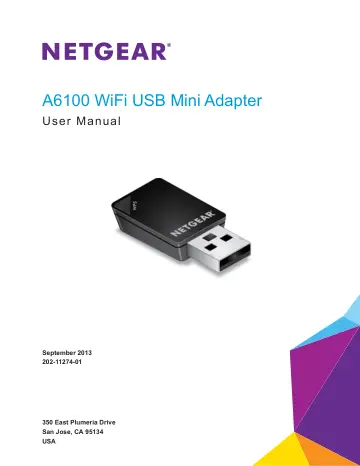
The A6100 WiFi USB Mini Adapter wirelessly connects your notebook or desktop computer to an 11ac network for applications such as lag-free video streaming…
- Set Up the Mini Adapterp. 5
Before you begin using your mini adapter, set up the mini adapter using the resource CD that came in the package. To set up your mini adapter: 1. Insert the…
- View Network Detailsp. 9
Before you join a network, you can view details to help you determine which network to join: • Network name (SSID). The name assigned to a wireless network. As…
- Join a Networkp. 10
The mini adapter can join a network using the Wi-Fi Protected Setup (WPS) method, through the mini adapter’s NETGEAR genie, or by installing the mini adapter’s…
- View Connection Detailsp. 21
After you join a network, you can view the mini adapter’s connection details in the NETGEAR genie’s status bar. To view connection details: 1. Join a network…
- 2. Maintenancep. 22
This chapter includes the following sections: • Update the Mini Adapter’s Software • Get Diagnostic Information for the Mini Adapter • View Additional…
- Update the Mini Adapter’s Softwarep. 23
You can use the mini adapter’s NETGEAR genie to check for software updates and upgrade the mini adapter’s software. Note: During the software update process…
- Get Diagnostic Information for the Mini Adapterp. 24
Your mini adapter provides the following diagnostic information: • System information • IP information • Client driver and profile information • Site survey…
- View Additional Information About the Mini Adapterp. 26
You can view the following additional information about the mini adapter: • Sent/Received Activity. The total number of packets sent or received during…
- Uninstall the Mini Adapter’s Softwarep. 27
You can remove the mini adapter software. To uninstall the mini adapter’s software: Select Start > All Programs > NETGEAR A6100 genie > Uninstall NETGEAR…
- 3. Troubleshooting and Frequently Asked Questionsp. 28
This chapter covers the following topics: • Troubleshooting • Frequently Asked Questions
- Troubleshootingp. 29
and Frequently Asked Questions 29 A6100 WiFi USB Mini Adapter Troubleshooting The mini adapter LED is not lit. Try these troubleshooting tips: • Remove and…
- Frequently Asked Questionsp. 31
A6100 WiFi USB Mini Adapter Frequently Asked Questions Do USB ports go into a sleep mode if no traffic is going to or from the port? USB devices go into sleep…
- A. Factory Default Settings and Technical Specificationsp. 32
This appendix covers the following topics: • Factory Default Settings • Technical Specifications
- Factory Default Settingsp. 33
and Technical Specifications 33 A6100 WiFi USB Mini Adapter Factory Default Settings The following table lists the default settings of your mini adapter. Table…
- Technical Specificationsp. 34
A6100 WiFi USB Mini Adapter Technical Specifications The following table provides technical specifications for the mini adapter. Table 2. Technical…
- B. Notification of Compliancep. 35
Regulatory Compliance Information This section includes user requirements for operating this product in accordance with National laws for usage of radio…