Loading manuals…
Motorola ZD41023-D0EW02EZ manual
Printers
1 document
What's in the Motorola ZD41023-D0EW02EZ user manual
From Motorola ZD410 (ZD41023-D0EW02EZ) user manual · 169 pages · English. Tap a section to open the PDF at its page.
- Terms of Usep. 2
Proprietary Statement This manual contains proprietary information of Zebra Technologies Corporation and its subsidiaries (“Zebra Technologies”). It is…
- Publication Datep. 2
- Aboutp. 3
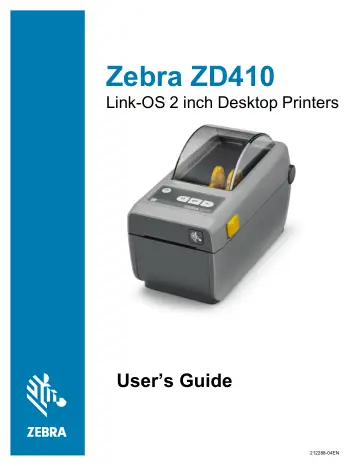
This guide is for integrators and operators of Zebra Link-OS ZD410 desktop printers. Use this guide to install, change configuration, operate, and physically…
- Introductionp. 11
This section introduces you to your new Zebra® ZD410 desktop thermal label printer. It describes what you get in your shipping box and provides an overview of…
- Install Hardware Optionsp. 27
This section assists you installing common printer connectivity modules and media handling options. Important • To simplify and speed up the setup process…
- Setupp. 39
This section assists you in setting up and operating your printer for the first time. Printer Setup Overview The setup process can be broken down into two (2)…
- Setup for Windows OSp. 58
- Print Operationsp. 80
This section provides general information on media and print handling, font and language support, and the setup of less common printer configurations. Thermal…
- USB Host Port and Link-OS Usage Examplesp. 97
This section has information on using the printer’s USB Host port along with Link-OS features and Apps (applications). USB Host The USB host port allows you to…
- Maintenancep. 107
This section provides routine cleaning and maintenance procedures. Cleaning Your Zebra printer may require periodic maintenance to keep your printer functional…
- Troubleshootingp. 122
This section provides troubleshooting procedures and information. Resolving Alerts and Errors Alert: Printhead Open A print command or a FEED button has been…
- Toolsp. 136
This section provides a variety of tools and utilities built into your printer. They are designed to assist you with setup, configuration, and debugging…
- Interface Connector Wiringp. 152
Universal Serial Bus (USB) Interface The figure below displays the cable wiring required to use the printer’s USB two interfaces. Important • When using third…
- Dimensionsp. 155
This section provides external printer dimensions. Dimensions are in millimeters (mm)
- Mediap. 159
This section provides a simple media overview for your printer.
- ZPL Configurationp. 163
This section provides an overview of managing printer configuration, the Configuring Status Printout, and Printer Memory Printouts.
The same user manual covers ZD410.