Loading manual…
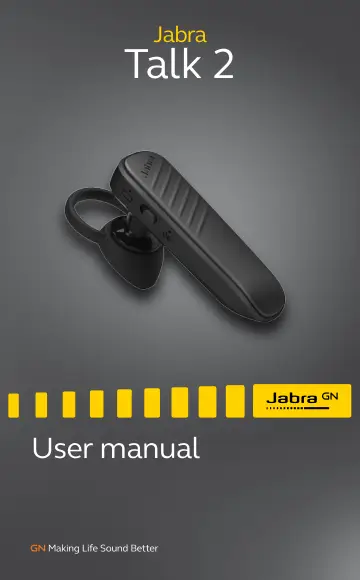
Hama Talk2 (100-92330000-60) user manual
- Type
- User manual
- Language
- English
- Pages
- 15
- Category
- Headphones & headsets
- Models
- 100-92330000-60OTE15
Open PDFOpens the file on objects.icecat.biz.
Contents
- 1. Welcomep. 4
Thank you for using the Jabra Talk 2. We hope you will enjoy it! Jabra Talk 2 features • HD voice • Maximum comfort EarGels • Up to 9 hours talk time* •…
- 2. Jabra Talk 2 overviewp. 5
2.1 Included accessories EarGel Looped EarGel Earhook Micro-USB cable Replacement or additional accessories can be purchased online at: jabra.com/accessories…
- 2.1 Included accessoriesp. 5
EarGel Looped EarGel Earhook Micro-USB cable Replacement or additional accessories can be purchased online at: jabra.com/accessories Charging port Volume…
- 3. How to wearp. 6
EarHook Looped EarGel
- 3.1 Changing EarGelsp. 6
For the optimal audio experience, try each of the different EarGel sizes. The fit should feel tight and secure in your ear. EarGel Looped EarGel
- 3.2 Attaching the EarHookp. 7
For a more secure wearing-style, try the EarHook. The fit should feel comfortable and stable on your ear. When wearing the EarHook, it is not necessary to use…
- 4. How to chargep. 8
The Jabra Talk 2 offers up to 9 hours of talk time. Simply plug the USB cable into the charging port, and connect the USB cable to a power supply. It takes…
- 4.1 What the LEDs meanp. 8
High battery Low battery Resetting Bluetooth LED Battery LED Battery LED Bluetooth LED Pairing mode (flashing) or Earbuds connected
- 5. How to connectp. 9
1. Turn on the headset. 2. Press and hold the Answer/end button until the Bluetooth LED flashes blue. 3. Wear the headset, and follow the voice instructions to…
- 6. Jabra Assist appp. 10
The Jabra Assist app is a free app that enables you to: • Get access to user manual and setup guidance • Locate your headset using GPS • Read out your text…
- 7. How to usep. 11
7.1 Calls & voice assistant Calls & voice assistant Answer/end call Tap the Answer/end button Reject call Double-tap the Answer/end button Activate Siri/…
- 7.1 Calls & voice assistantp. 11
Calls & voice assistant Answer/end call Tap the Answer/end button Reject call Double-tap the Answer/end button Activate Siri/ Google Now/ Cortana Press (1 sec)…
- 7.2 Multiple call handlingp. 12
The headset can accept and handle multiple calls at the same time. Multiple call handling End current call and answer incoming call Tap the Answer/end button…
- 7.3 How to resetp. 13
Resetting the headset clears the list of paired devices. After resetting, it is necessary to re-pair the headset to your smartphone, or Bluetooth device. 1.…
- 7.4 PowerNapTMp. 13
To extend battery life, the headset will automatically enter PowerNapTM when the headset is turned on, but has not been used or connected for 1 hour. To exit…
- 8. Supportp. 14
8.1 FAQ & technical specifications View the FAQ and the technical specifications at: jabra.com/talk2
- 8.1 FAQ & technical specificationsp. 14
View the FAQ and the technical specifications at: jabra.com/talk2
- 8.2 How to care for your headsetp. 14
Always store the headset in the charging case and safely protected. • Avoid storage at extreme temperatures (above 40°C/14°F or below 0°C/32°F). This can…