Loading manual…
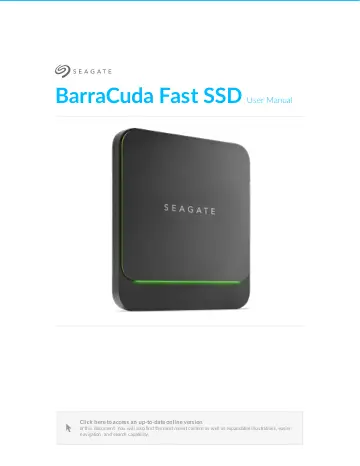
Acer BarraCuda Fast (STJM1000400) user manual
- Type
- User manual
- Language
- English
- Pages
- 20
- Category
- Storage & drives
- Models
- SRD0FV2STJM1000400
Open PDFOpens the file on objects.icecat.biz.
Contents
- Introductionp. 4
Introduc2on For common questions and answers about your hard drive, see Frequently Asked Questions or visit Seagate customer support. Box content Seagate…
- Minimum system requirementsp. 4
Ports Your Seagate device has a USB-C (USB 3.1 Gen 2) interface and can be connected to a computer with a USB- C, Thunderbolt 3, or USB-A (USB 3.0 or USB 2.0)…
- Getting Startedp. 5
- Connect the USB cablep. 5
Confirm the type of USB port on your computer, then choose the appropriate cable to connect your device. Use the USB-C to USB-C cable if your computer has a…
- Set up Seagate BarraCuda Fast SSDp. 5
The setup process lets you: Register your Seagate BarraCuda Fast SSD Get the most from your drive with easy access to information and support. 5 BarraCuda Fast…
- Storage formatp. 8
Seagate BarraCuda Fast SSD is preformatted exFAT for compatibility with both Windows and Mac computers. If you use the drive with only one type of computer…
- Disconnecting the drivep. 8
- Use Toolkit to Set Up Sync Plansp. 10
Create a Sync Plus plan Sync Plus creates a synced folder on your Seagate BarraCuda Fast SSD that mirrors folders on your PC or Mac, so your files are…
- Create a Sync Plus planp. 10
Sync Plus creates a synced folder on your Seagate BarraCuda Fast SSD that mirrors folders on your PC or Mac, so your files are available in both places.…
- Optional Formatting and Partitioningp. 11
Op2onal Forma7ng and Par22oning Seagate BarraCuda Fast SSD is preformatted exFAT for compatibility with both Mac and Windows computers. If you use the drive…
- About file system formatsp. 11
- Manual formattingp. 12
…you connect the storage device to Mac computers, and you don’t need to allow a Windows computer to read or write to the drive. Do not use APFS if you intend…
- Safely Remove Seagate BarraCuda Fast SSD From Your Computerp. 14
Always eject a storage device from your computer before physically disconnecting it. Your computer must perform filing and housekeeping operations on the drive…
- Windowsp. 14
Use the Safely Remove tool to eject a storage device. 1. Click the Safely Remove icon in your Windows System Tray to view the devices you can eject. Windows 7…
- Macp. 14
There are several ways you can eject your storage device from a Mac. See below for two options. Eject via Finder window 1. Open a Finder window. 2. On the…
- Frequently Asked Questionsp. 16
below. For additional support resources, go to Seagate customer support
- All usersp. 16
Problem: My file transfers are too slow Q: Are both ends of the USB cable firmly attached? A: Review troubleshooting tips for cable connections below: Check…
- Windowsp. 17
Problem: The device icon doesn’t appear in Computer Q: Is the storage device listed in Device Manager? A: All storage devices appear in at least one place in…
- Macp. 17
Problem: The device icon does not appear on my desktop Q: Is your Finder configured to hide external disks on the desktop? A: Go to Finder and then check…
- Regulatory Compliancep. 19
Product Name Seagate BarraCuda Fast SSD Regulatory Model Number SRD0FV2
- China RoHS 2p. 19
refers to the Ministry of Industry and Information Technology Order No. 32, effective July 1, 2016, titled Management Methods for the Restriction of the Use of…
- Taiwan RoHSp. 19
BarraCuda Fast SSD 12/13/19