Loading manual…
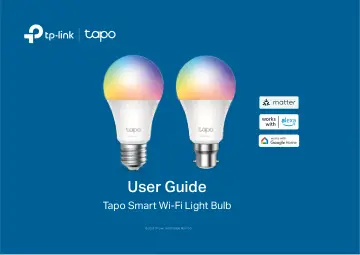
TP-Link Smart Light Bulb, Multicolor,Matter (TAPO L535E) user manual
- Type
- User manual
- Language
- English
- Pages
- 49
- Category
- Lighting
- Models
- TAPO L535E
Open PDFOpens the file on objects.icecat.biz.
Contents
- About This Guidep. 3
This guide provides a brief introduction to the Tapo Smart Wi-Fi Light Bulb and the Tapo app, as well as regulatory information. Features available in Tapo may…
- Introductionp. 4
The Tapo smart Wi-Fi light bulb is part of the Tapo smart home family of products, including plugs, switches, cameras and more. Smart Bulb lets you easily…
- Set Up Your Smart Bulbp. 5
Follow the steps below to get started with your new smart bulb.
- Set Up via Matterp. 7
This is a Matter-certified device. You can integrate it into any Matter ecosystem you prefer for easy control. As IoT manufacturers are working to optimize the…
- Set Up via Matter Simple Setupp. 29
Set Up via Amazon Matter Simple Setup What is Amazon Matter Simple Setup? Amazon Matter Simple Setup can help connect and set up Tapo smart devices in fewer…
- Basic Device Controlp. 33
After successfully setting up your smart bulb, you will see the home page of the Tapo app. Here you can view the status of all devices that you've added and…
- Configure Your Smart Bulbp. 34
You can confiure your smart bulb by adjust lighting settings and setting Themes, Presets, Auto White, Schedule, Timer, Away Mode and more. Turn On/Off Tap the…
- Smart Actionsp. 37
page and you will see the Featured Actions (Shortcut or Automation). 2. Tap on a featured action. Tap EDIT to change the settings as needed and tap APPLY to…
- Share Your Smart Bulbp. 39
You can invite your family members to manage your Tapo devices together by entering the TP-Link ID (email) you want to share the devices with.
- Reset Your Smart Bulbp. 40
There are two types of reset available: a soft reset which resets the Wi-Fi settings only, and a factory reset that erases all of your custom settings and…
- Authenticationp. 41
FCC Compliance Information Statement Product Name: Tapo Smart Wi-Fi Light Bulb, Multicolor Model Number: Tapo L535E/TL135E Responsible party: TP-Link USA…