Loading manual…
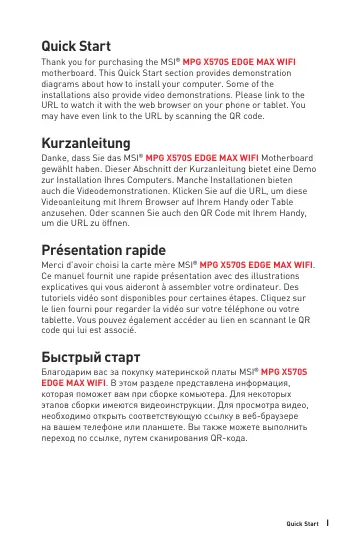
MSI MPG X570S EDGE MAX WIFI quick start guide
- Type
- Quick start guide
- Language
- English
- Pages
- 172
- Category
- Motherboards
- Models
- MPG X570S EDGE MAX WIFI
Open PDFOpens the file on objects.icecat.biz.
Contents
- Safety Informationp. 15
The components included in this package are prone to damage from electrostatic discharge (ESD). Please adhere to the following instructions to ensure…
- Specificationsp. 17
CPU •Supports AMD Ryzen™ 5000 Series, 5000 G-Series, 4000 G-Series, 3000 Series, 3000 G-Series, 2000 Series and 2000 G-Series desktop processors* •Supports…
- Rear I/O Panelp. 25
Clear CMOS button - Power off your computer. Press and hold the Clear CMOS button for about 5-10 seconds to reset BIOS to default values. •Flash BIOS Port/…
- Overview of Componentsp. 29
- Onboard LEDsp. 45
EZ Debug LED These LEDs indicate the debug status of the motherboard. CPU - indicates CPU is not detected or fail. DRAM - indicates DRAM is not detected or…
- Installing OS, Drivers & MSI Centerp. 46
Please download and update the latest utilities and drivers at www.msi.com Installing Windows® 10 1. Power on the computer. 2. Insert the Windows® 10…
- UEFI BIOSp. 47
MSI UEFI BIOS is compatible with UEFI (Unified Extensible Firmware Interface) architecture. UEFI has many new functions and advantages that traditional BIOS…
- BIOS Setupp. 48
The default settings offer the optimal performance for system stability in normal conditions. You should always keep the default settings to avoid possible…
- Sicherheitshinweisp. 53
Die im Paket enthaltene Komponenten sind der Beschädigung durch elektrostatischen Entladung (ESD). Beachten Sie bitte die folgenden Hinweise, um die…
- Spezifikationenp. 55
CPU •Unterstützt AMD Ryzen™ 5000 Serie, 5000 G-Serie, 4000 G-Serie, 3000 Serie, 3000 G-Serie, 2000 Serie und 2000 G-Serie Desktop-Prozessoren* •Unterstützt…
- Packungsinhaltp. 62
Überprüfen Sie den Packungsinhalt des Mainboards. Die Packung sollte enthalten: Motherboard MPG X570S EDGE MAX WIFI Dokumentation Benutzerhandbuch 1…
- Rückseite E/Ap. 63
Clear CMOS Taste - Schalten Sie den Computer aus. Halten Sie die Taste “Clear CMOS” für 5-10 Sekunden gedrückt, um das BIOS auf die Standardwerte…
- Übersicht der Komponentenp. 67
- Onboard LEDsp. 83
EZ DEBUG LED Diese LEDs zeigen den Debug-Status des Motherboards an. CPU - CPU wird nicht erkannt oder ist fehlerhaft. DRAM - DRAM wird nicht erkannt oder ist…
- Installation von OS, Treibern & MSI Centerp. 84
Laden Sie die neuesten Treiber und Dienstprogramme von www.msi.com herunter und aktualisieren Sie sie. Installation von Windows® 10 1. Schalten Sie den…
- UEFI BIOSp. 86
Das MSI UEFI-BIOS ist mit der UEFI-Architektur (Unified Extensible Firmware Interface) kompatibel. Das UEFI-BIOS hat viele neue Funktionen und besitzt…
- BIOS Setupp. 87
Die Standardeinstellungen bieten die optimale Leistung für die Systemstabilität unter Normalbedingungen. Sie sollten immer die Standardeinstellungen behalten…
- Table des matièresp. 91
- Informations de sécuritép. 93
Les composants dans l’emballage peuvent être endommagés par des décharges électrostatiques (ESD). Pour vous assurer de correctement monter votre ordinateur…
- Spécificationsp. 95
CPU •Support des processeurs AMD Ryzen™ séries 5000, 5000 G, 4000 G, 3000, 3000 G, 2000 et 2000 G* •Socket AM4 * Veuillez vous rendre sur le site fr.msi.com…
- Contenup. 103
Vérifiez tous les articles dans le carton d’emballage de votre carte mère. L’emballage doit contenir : Carte mère MPG X570S EDGE MAX WIFI Documentation Manuel…
- Panneau arrière Entrée/Sortiep. 104
Bouton Clear CMOS - Éteingnez votre ordinateur. Appuyez sur le bouton Clear CMOS pendant 5 à 10 secondes pour réinitialiser le BIOS aux valeurs par défaut.…
- Vue d’ensemble des composantsp. 108
- Indicateurs LED embarquésp. 124
EZ Debug LED Ces LEDs indiquent l’état de débogage de la carte mère. Indicateurs LED embarqués LED_SW1 : Contrôle EZ LED Cet interrupteur est utilisé pour…
- Installer OS, Pilotes et MSI Centerp. 125
Veuillez vous référer au site www.msi.com pour télécharger et mettre à jour les derniers utilitaires et pilotes. Installer Windows® 10 1. Allumez l’ordinateur.…
- UEFI BIOSp. 127
Le BIOS UEFI de MSI est compatible avec l’architecture UEFI (Unified Extensible Firmware Interface). Le BIOS UEFI présente de nombreuses nouvelles…
- Configuration du BIOSp. 128
Les réglages par défaut fournissent une performance optimale pour la stabilité du système en conditions normales. Veillez à toujours garder les réglages par…
- Безопасное использование продукцииp. 133
Компоненты, входящие в комплект поставки могут быть повреждены статическим электричеством. Для успешной сборки компьютера, пожалуйста, следуйте указаниям ниже.…
- Технические характеристикиp. 135
Процессор •Поддержка процессоров для настольных ПК AMD Ryzen™ 5000 серии, 5000 G-серии, 4000 G-серии, 3000 серии, 3000 G-серии, 2000 серии и 2000 G-серии*…
- Комплект поставкиp. 142
Проверьте комплект поставки материнской платы. В него должны входить следующие элементы: Материнская плата MPG X570S EDGE MAX WIFI Документы Руководство…