Loading manual…
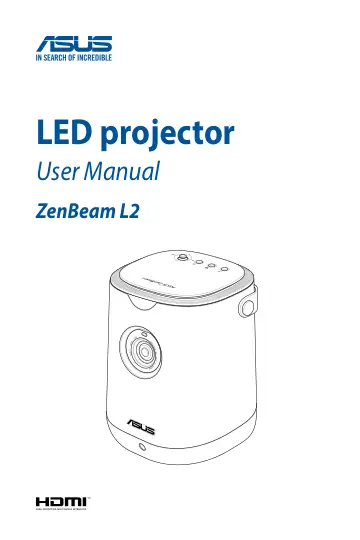
ASUS ZenBeam L2 (90LJ00I5-B01070) user manual
- Type
- User manual
- Language
- English
- Pages
- 74
- Category
- Projectors
- Models
- ZenBeam L2
Open PDFOpens the file on objects.icecat.biz.
Contents
- About this manualp. 5
This manual provides information about the hardware and software features of your LED projector through the following chapters: Chapter 1: Getting to know your…
- Conventions used in this manualp. 6
To highlight key information in this manual, some text are presented as follows: IMPORTANT! This message contains vital information that must be followed to…
- Safety precautionsp. 7
Using your LED projector • Refer to the manual and take note of the safety instructions before operating your LED projector. • Follow the notes and warnings…
- Chapter 1: Getting to know your LED projectorp. 11
- Featuresp. 12
Top view Projector Cover This removable magnetic cover allows access to the connectors for installing the Android TV box bundled with your LED projector. Input…
- LED projector remote controlp. 21
NOTE: Actual appearance may vary depending on the model. Battery compartment The battery compartment allows you to install two (2) AAA batteries to power your…
- Chapter 2: Setting upp. 25
- Getting startedp. 26
This LED projector allows you to plug and play your devices, so you can easily open multimedia files and hear audio straight from its built-in Harman Kardon…
- Chapter 3: Using the on-screen display menup. 39
- Using your LED projector for the first timep. 40
Refer to the following steps when using your LED projector for the first time. NOTE: Ensure that your LED projector is connected to the power adapter before…
- On-screen display (OSD) home pagep. 41
The OSD home page of your LED projector allows you to access all the different functions of your LED projector. Press on the remote control to open the OSD…
- Configuration menu optionsp. 43
Picture The options under this menu allow you to adjust and fine tune the projection onscreen. Scroll down to display the other menu items. • Splendid - Select…
- Using screen casting or mirroringp. 51
The bundled Android TV box with Chromecast built-in allows you to stream from your mobile device (screen casting) or project your mobile device’s screen…
- Using Android TVp. 53
Your LED projector is powered with Android TV to provide you an easy way to enjoy the entertainment you love on a big screen. IMPORTANT! Not all apps are…
- Using Light Wallp. 56
With the Light Wall feature that’s included with your LED projector, you can set the ideal ambiance for your mood by selecting one of more than 25 ready-made…
- Updating your LED projectorp. 59
1. Go to the ASUS support site and download the latest software update for your LED projector. 2. After downloading, extract the file and save L2update.bin to…
- Adjusting the volume on the Android TV boxp. 60
1. Press and hold simultaneously and on the remote control for at least 5 seconds to activate Android TV mode. NOTE: Android TV mode is activated when the LED…
- Putting your LED projector in Standby modep. 61
To put your LED projector into Standby mode, press the Power button on it or the remote control, then select the Standby option.
- Powering off your LED projectorp. 62
Powering off by a short press on the power button You can power off the LED projector by pressing the power button on your LED projector or remote control…
- Appendicesp. 63
- Specifications for ZenBeam L2 LED projectorp. 70