Loading manual…
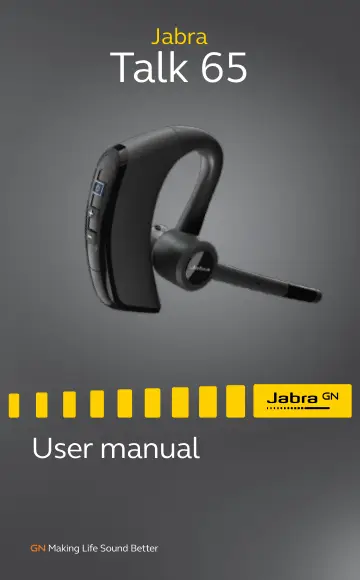
Jabra Talk 65 (100-98230000-60) user manual
- Type
- User manual
- Language
- English
- Pages
- 18
- Category
- Headphones & headsets
- Models
- 100-98230000-60OTE970
Open PDFOpens the file on objects.icecat.biz.
Contents
- 1. Welcomep. 4
Thank you for using the Jabra Talk 65. We hope you will enjoy it! Jabra Talk 65 features • 80% noise cancellation with 2 microphones • All-day calls with up to…
- 2. Jabra Talk 65 overviewp. 5
*Device dependent Power on/off (hold) Volume up Volume down Microphone Charging port Answer/end call Reject call (hold) Voice assistant* Mute microphone
- 2.1 Included accessoriesp. 5
USB cable EarGels Small Medium Large
- 3. How to wearp. 6
The headset can be worn on the left or right ear. Right Left To wear the headset on the other ear, rotate the microphone horizontally to the other side. Then…
- 3.1 Selecting an EarGelp. 7
It is important to wear the headset with the most comfortable EarGel size for your ears. This will ensure the best audio experience. Small Medium Large
- 3.2 How to get the perfect fitp. 7
For the best audio quality and comfort, the eargel should fit firmly in your ear, but should not be squeezed into your ear canal.
- 4. How to chargep. 8
To charge the headset, connect the USB charging cable to the headset’s USB charging port. It is recommended to charge the headset using the supplied charging…
- 5. How to connectp. 10
5.1 Power on Press and hold the Multi-function button for 1 second until the LED flashes blue and you hear “Power on”. Power on 1 sec
- 5.1 Power onp. 10
Press and hold the Multi-function button for 1 second until the LED flashes blue and you hear “Power on”. Power on 1 sec
- 5.2 Power offp. 10
Press and hold the Multi-function button for 3 seconds until the LED flashes red and you hear “Power off”. Power off 3 sec
- 5.3 Pair to your smartphonep. 11
1. Ensure the headset is powered off. 2. Press and hold the Multi-function button for approx. 6 seconds until you hear “Pair mode” and the LED flashes red and…
- 5.4 Connect to your smartphone using NFCp. 12
1. Ensure your headset is powered on, and that NFC is enabled on your smartphone. 2. Place the NFC zone of your smartphone against the NFC zone of the headset…
- 6. How to usep. 13
Answer/end call button Volume up button Volume down button Multi-function button
- 6.1 Callsp. 13
What the buttons do Answer call Press the Answer/end call button End call Press the Answer/end call button Reject call Double press the Answer/end call button…
- 6.2 Multiple call handlingp. 15
The headset can accept and handle multiple calls at the same time. Multiple call handling End current call and answer incoming call Press the Answer/end call…
- 6.3 Multipoint modep. 16
The headset can pair to 8 smartphones or tablets and connect to two at once (Multipoint mode). To connect to two smartphones, use the normal pairing process…
- 6.4 How to resetp. 16
Resetting the headset clears the list of paired devices. 1. Ensure the headset is powered on. 2. Press and hold (10 sec) both the Volume up and Volume down…
- 7. Supportp. 17
7.1 FAQ View the FAQs on Jabra.com/help/talk65
- 7.1 FAQp. 17
View the FAQs on Jabra.com/help/talk65
- 7.2 How to care for your headsetp. 17
To prevent the depletion of the battery lifetime or capacity, avoid storing the headset in hot or cold environments, such as a closed truck in summer or in…
- 7.3 How to clean your headsetp. 18
1. Apply normal dish soap and water to a cloth, making sure to wring out any excess liquid so the cloth is not dripping wet. Use soap and water only; do not…