Loading manual…
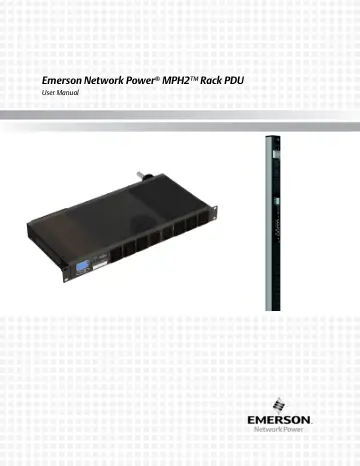
Lexmark MPH2 Rack PDU (MPHC1241) user manual
- Type
- User manual
- Language
- English
- Pages
- 51
- Models
- MPHC1241
Open PDFOpens the file on objects.icecat.biz.
Contents
- Important Safety Instructionsp. 6
Emerson® MPH2™ User Manual 1 Important Safety Instructions SAVE THESE INSTRUCTIONS This safety sheet contains important safety instructions. Read all safety…
- Safety Symbolsp. 8
Emerson® MPH2™ User Manual 3 Safety Symbols The following symbols may appear within the documentation or on the product. Symbol Meaning High Temperature Alerts…
- 1.0 Introductionp. 9
The Emerson Network Power® MPH2™ is the most intelligent, high-availability line of managed rack PDUs. It offers remote monitoring and control capabilities as…
- 1.1 General Characteristicsp. 11
Input ampacities include 16 A or 32 A for European Union versions and 12 A to 48 A for North-American versions. • Single-phase and three-phase. • Input…
- 1.2 Model Typesp. 12
There are four types of MPH2 Rack PDU. All models provide power distribution and include input and branch metering. • Type B—Rack PDU metered: Provides…
- 1.3 Appearance and Componentsp. 12
1.3.1 Controls and Indicators—RPC2™ The MPH2 Rack PDU is monitored and managed by the factory-installed RPC2 communications module. This manual presents…
- 2.0 Installationp. 16
An MPH2 Rack PDU can be installed in an Emerson rack on the frame members using factory-supplied hardware. The unit can be installed on the face or the side of…
- 2.1 Attaching Input Power Cords—Hard-wired Models Onlyp. 16
MPH2s with integral power cords need no assembly before installation. Units with hard-wired input power require attachment of input-power cords. See Table 2-1…
- 2.2 Tool-less Mountingp. 19
For tool-less mounting, attach the mounts to the rear of the MPH2 Rack PDU, then hang it in the rack as shown in Figure 2-3. Torque the screw attaching the…
- 2.3 Installing a MPH2 in an Emerson® Rackp. 20
2.3.1 Mounting Hardware and Tools Required Factory-supplied • 2 mounting brackets • 2 mounting buttons • 4 spring nuts Field-supplied For mounting a vertical…
- 2.4 Connecting Rack Equipmentp. 25
Once the MPH2 Rack PDU has been installed in the rack, the unit is ready for connection of equipment that will be powered by the unit or used for monitoring.…
- 2.5 Installing Optional Itemsp. 26
The following items may be added to an MPH2 Rack PDU system but are not required. • RPC Basic Display Module • Liebert® SN temperature/humidity sensors 2.5.1…
- 3.0 Operationp. 29
Emerson’s MPH2 Rack PDU may be monitored and managed by the factory-installed RPC2 communications module. This manual presents information about the MPH2’s…
- 3.1 Controls and Indicatorsp. 29
The MPH2 Rack PDU also has LEDs that indicate receptacle and branch status and system information. LEDs flash, pulse or change colors to indicate an event or…
- 3.2 View Input-level Informationp. 30
The MPH2’s main screen is displayed by the on-board LCD when the rack PDU is first powered up. The input-level information is the main screen, Figure 3-2.…
- 3.3 View MPH2 System Informationp. 32
1. Use the arrow keys to highlight the information icon, . 2. Press . The MPH2 model number, serial number, firmware version, power rating and number of…
- 3.4 View Active Alarmsp. 39
1. Use the arrow keys to highlight the alarm icon, , and press . A list of active alarms on the MPH2 displays, Figure 3-11. 2. Use the arrow keys to highlight…
- 3.5 View Branch-level Informationp. 40
1. At the input-level (main) screen, highlight the unit-identification number, , and press . The branch letters display along the bottom-left, Figure 3-12. 2.…
- 3.6 View Receptacle-level Informationp. 41
1. At the input-level (main) screen, highlight the receptacle icon, , and press . The receptacle list displays, Figure 3-13. Figure 3-13 Receptacle list 2. Use…
- 3.7 View Sensor Informationp. 43
1. At the input-level (main) screen, highlight the sensor icon, , and press . A list of the sensors, in the order of their identification number, displays…
- 3.8 Opening and Closing Circuit Breakersp. 45
MPH2 Rack PDU feature circuit breakers to protect either branches or individual receptacles, depending on the model. Low-profile circuit breakers are used on…
- 4.0 Emerson® MPH2 Rack PDU Specificationsp. 46
0-U 1-U 2-U Input Power Configurations; Vary by Model and Region Single-Phase Input; CE-Mark 240 VAC, 16 A; also UL-listed 3.7 kW 230 V, 32 A 7.3 kW…
- 5.0 Troubleshootingp. 47
NOTE Per UL 60950-1 2nd Ed. ITE safety-standard requirements, the current ratings of UL Listed models are 80% of input-plug, branch-circuit-breaker and…
- 5.1 Additional Troubleshooting by Plug Typep. 49
Table 5-3 describes the line LEDs active by plug type. Depending on the type of plug, not all of the line LEDs may be lit. The table also describes the branch…