Loading manual…
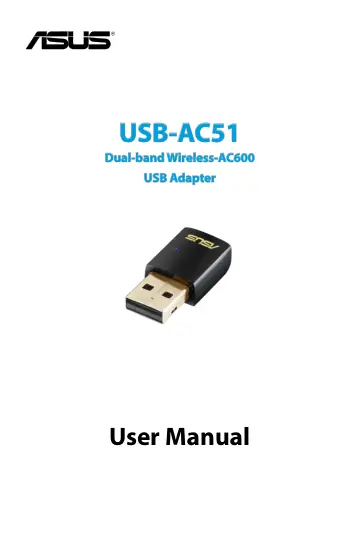
ASUS USB-AC51 (90IG00I0-BM0G00) user manual
- Type
- User manual
- Language
- English
- Pages
- 36
- Category
- PC components
- Models
- USBAC51
Open PDFOpens the file on objects.icecat.biz.
Contents
- 1. Introductionp. 4
System requirements Before using the USB-AC51 Adapter, check if your system meets the following requirements: If any of the above items is damaged or missing…
- System requirementsp. 4
Before using the USB-AC51 Adapter, check if your system meets the following requirements: If any of the above items is damaged or missing, contact your…
- Status indicatorp. 4
Operating and storage environment 1. Operating temperature: ambient temperature between 0˚C ~ 40˚C 2. Storage temperature: ambient temperature between -10˚C ~…
- 2. Installing the USB-AC51 driver and utilitiesp. 5
2. From the Autorun screen, select your language and click Install ASUS WLAN Card Utilities/Driver. 3. An InstallShield Wizard screen appears. Click Next to…
- 3. Connecting to a wireless networkp. 8
3. If Security is enabled on the AP or station, provide the required password or passkey. Click Save. 4. Setup is complete. Click the Status page on the main…
- Connecting to a wireless network using WPSp. 9
The ASUS USB-AC51 supports Wi-Fi Protected Setup (WPS) for Windows® operating systems for securing wireless connections. To connect the USB-AC51 Wireless…
- 4. ASUS WLAN Control Centerp. 11
- ASUS WLAN Adapter Setting Utilityp. 11
Right-click the ASUS WLAN Adapter Setting Utility icon on the Windows® notification area to display the following options: • Wireless Setting - Launches the…
- Surveyp. 12
window and displays available wireless networks. Survey The Survey window displays a list of available wireless networks and associated network information.…
- Configurationp. 13
The Configuration window displays user-defined wireless network connections. • New Config - Click this button to create a new preset wireless connection. •…
- 5. Using Windows® Network Managerp. 18
3. Click the Windows Network icon on the Windows® notification area.
- 6. Troubleshootingp. 19
This chapter provides solutions to problems which you may encounter when installing or using ASUS USB-AC51. Contact a qualified service technician for…
- 7. Glossaryp. 20
Access Point (AP) A networking device that seamlessly connects wired and wireless networks. Access Points combined with a distributed system support the…
- Noticesp. 30
Federal Communications Commission This device complies with FCC Rules Part 15. Operation is subject to the following two conditions: • This device may not…