Loading manual…
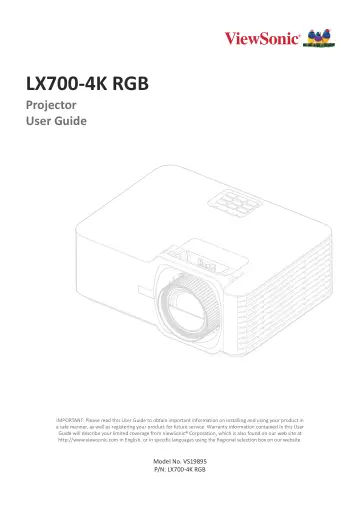
ViewSonic LX700-4K RGB user manual
- Type
- User manual
- Language
- English
- Pages
- 69
- Models
- LX700LX700-4K RGBVS19895
Open PDFOpens the file on objects.icecat.biz.
Contents
- Safety Precautionsp. 3
Please read the following Safety Precautions before you start using the projector. • Keep this user guide in a safe place for later reference. • Read all…
- Introductionp. 9
- Product Overviewp. 10
- Initial Setupp. 17
Projection Location and Orientation Personal preference and room layout will decide the installation location. Consider the following: • Size and position of…
- Projection Location and Orientationp. 17
Personal preference and room layout will decide the installation location. Consider the following: • Size and position of your screen. • Location of a suitable…
- Projection Dimensionsp. 18
16:9 Image on a 16:9 Screen NOTE: (e) = Screen (f) = Center of Lens (a) Screen Size (b) Projection Distance (c) Image Height (d) Vertical Offset Minimum…
- Mounting the Projectorp. 19
NOTE: If you buy a third party mount, please use the correct screw size. Screw size can vary depending on the thickness of the mounting plate. 1. To ensure the…
- Using the Security Barp. 19
To prevent the projector from being stolen, use a security slot locking device to secure the projector to a fixed object. The security slot can also be used as…
- Making Connectionsp. 20
Connecting to Power 1. Connect the power cord to the power adapter. 2. Connect the power adapter to the DC IN jack at the rear of the projector. 3. Plug the…
- Connecting to Powerp. 20
1. Connect the power cord to the power adapter. 2. Connect the power adapter to the DC IN jack at the rear of the projector. 3. Plug the power cord into a…
- Connecting to External Devicesp. 21
HDMI Connection Connect one end of an HDMI cable to the HDMI port of your video device. Then connect the other end of the cable to the HDMI 1 or HDMI 2 port…
- Using the Projectorp. 25
Starting Up the Projector 1. Make sure the projector’s power cord is properly connected to a power outlet. 2. Press the Power button on the projector or remote…
- Starting Up the Projectorp. 25
1. Make sure the projector’s power cord is properly connected to a power outlet. 2. Press the Power button on the projector or remote control to turn on the…
- Selecting an Input Sourcep. 26
The projector can be connected to multiple devices at the same time. However, it can only display one full screen at a time. When Auto Source is on, the…
- Adjusting the Projected Imagep. 27
Adjusting the Projector’s Height and Projection Angle The projector is equipped with three adjustment feet. Adjusting the feet will change the projector’s…
- Shutting Down the Projectorp. 29
1. Press the Power button on the projector or remote control and a “power off message” will appear. 2. Press the Power button again to confirm and shut down…
- Menu Operationp. 30
On-Screen Display (OSD) Menu The projector has multilingual on-screen display menus that allow you to make image adjustments and change a variety of settings.…
- On-Screen Display (OSD) Menup. 30
The projector has multilingual on-screen display menus that allow you to make image adjustments and change a variety of settings. Select Exit Enter Display…
- Menu Navigationp. 31
- On-Screen Display (OSD) Menu Treep. 32
Main Menu Sub-menu Menu Option Display Image Settings Color Mode TV (BT.2020) Brightest HDR HLG Movie Gaming Low Blue Light Rec.709 User 3D Brightness (-/+…
- Menu Optionsp. 38
Display Menu Select Exit Enter Display Image Settings Ultra Fast Input 3D Aspect Ratio Keystone Zoom i Auto 0 Inactive Menu Description Image Settings Color…
- Appendixp. 49
Specifications Item Category Specifications Projector Type RGB Laser Display Size 30”~300” Throw Ratio 1.4~2.24 (100”@ 3.10 m) Lens F=2.5~3.26, f=20.911~32.62…
- Specificationsp. 49
Item Category Specifications Projector Type RGB Laser Display Size 30”~300” Throw Ratio 1.4~2.24 (100”@ 3.10 m) Lens F=2.5~3.26, f=20.911~32.62 mm Display…
- Projector Dimensionsp. 50
mm (W) x 129 mm (H) x 228 mm (D)
- Timing Chartp. 51
HDMI Video Timing Timing Resolution Refresh Rate (Hz) SDTV(480i) 720 x 480 60 SDTV(480p) 720 x 480 60 SDTV(576i) 720 x 576 50 SDTV(576p) 720 x 576 50…
- Troubleshootingp. 53
This section describes some common problems that you may experience when using the projector. Problem or Issue Possible Solutions The projector does not turn…
- Maintenancep. 56
General Precautions • Make sure the projector is turned off and the power cable is unplugged from the power outlet. • Never remove any parts from the…
- Regulatory and Service Informationp. 57
Compliance Information This section addresses all connected requirements and statements regarding regulations. Confirmed corresponding applications shall refer…
- Compliance Informationp. 57
This section addresses all connected requirements and statements regarding regulations. Confirmed corresponding applications shall refer to nameplate labels…
- Copyright Informationp. 61
Copyright© ViewSonic® Corporation, 2024. All rights reserved. Macintosh and Power Macintosh are registered trademarks of Apple Inc. Microsoft, Windows, and the…