Loading manual…
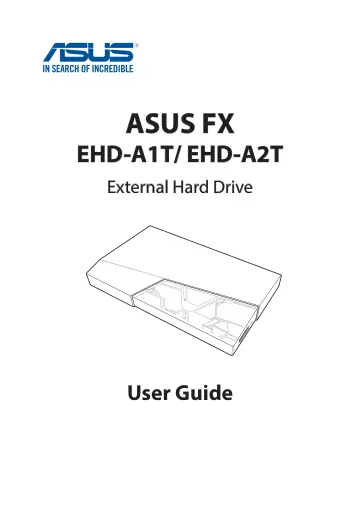
ASUS FX GAMING EHD-A1T (90DD02F0-B89000) user manual
- Type
- User manual
- Language
- English
- Pages
- 26
- Category
- Storage & drives
- Models
- FX GAMING EHD-A1T
Open PDFOpens the file on objects.icecat.biz.
Contents
- 1. Getting to know your ASUS FXp. 6
Overview Thank you for purchasing the ASUS FX External Hard Drive. ASUS FX is the world’s first gaming external hard drive designed with Aura Sync RGB lighting…
- Overviewp. 6
Thank you for purchasing the ASUS FX External Hard Drive. ASUS FX is the world’s first gaming external hard drive designed with Aura Sync RGB lighting for you…
- Specifications summaryp. 6
1. Getting to know your ASUS FX Overview Thank you for purchasing the ASUS FX External Hard Drive. ASUS FX is the world’s first gaming external hard drive…
- Disk formatp. 7
The default format of your ASUS FX is NTFS. See section Formatting your ASUS FX on how to change the disk format. Aura lighting area USB 3.1 Gen 1 port
- Hardware featuresp. 7
Disk format The default format of your ASUS FX is NTFS. See section Formatting your ASUS FX on how to change the disk format. Aura lighting area USB 3.1 Gen 1…
- 2. Using your ASUS FXp. 8
Connecting to a Windows® computer 1. Connect one end of the bundled USB cable to the external hard drive’s USB port. 2. Connect the other end of the bundled…
- Connecting to a Windows® computerp. 8
1. Connect one end of the bundled USB cable to the external hard drive’s USB port. 2. Connect the other end of the bundled USB cable to your computer’s USB…
- Connecting to a Mac computerp. 9
- Safely removing your ASUS FXp. 11
To avoid data loss, when data transfer is in progress, follow the steps below to remove your hard drive. On Windows® 1. Click from the taskbar, and then click…
- 3. Using the utilitiesp. 13
Using Aura Aura is an application that controls the RGB LED lighting on Aura-enabled products, including hard drives, monitors, motherboards, graphics cards…
- Using Aurap. 13
Aura is an application that controls the RGB LED lighting on Aura-enabled products, including hard drives, monitors, motherboards, graphics cards, desktop…
- Issues executing the Aura programp. 15
Please check if you have done the following: 1. Ensure that the BIOS is updated to the latest version (for ASUS motherboards only). 2. Ensure that the firmware…
- Limitations of the Aura lighting modesp. 15
If Static / Breathing / Color cycle lighting modes are selected, after the power is turned off and on again, the LED will still light up in your selected mode.…
- Using NTI Backup Now EZp. 15
Refer to the user guide stored on your ASUS FX hard drive on how to use the NTI Backup Now EZ program.
- 4. Formating your hard drivep. 16
On Windows® 1. Open File Explorer, right-click the ASUS FX hard drive icon, and then select Format to display the Format Local Disk menu. 2. Make your desired…
- 5. Frequently Asked Questions (FAQs)p. 18
Only basic questions are listed here. For the latest FAQs, go to https://www.asus.com/support/. Installation Q1: Why is it that I cannot install the Aura…
- 6. Safety noticesp. 25
For safe and correct use, be sure to read this section before using your product. • Use this product in an environment with ambient temperatures between 0˚C…
- 7. Accessory Warranty Policyp. 25
A Limited Warranty is offered on ASUS branded hardware products. This Limited Warranty does not cover any software applications or programs; non-ASUS products…