Loading manual…
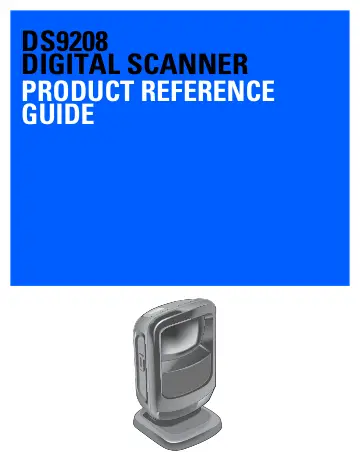
Zebra DS9208 (DS9208-1D4NNU21Z) user manual
- Type
- User manual
- Language
- English
- Pages
- 442
- Category
- Scanners
- Models
- DS9208DS9208-1D4NNU21Z
Open PDFOpens the file on objects.icecat.biz.
Contents
- DS9208 Product Reference Guidep. 1
- About This Guidep. 17
Introduction The DS9208 Product Reference Guide provides general instructions for setting up, operating, maintaining, and troubleshooting the DS9208 digital…
- Getting Startedp. 21
Introduction The DS9208 combines superior 1D and 2D omnidirectional bar code scanning and advanced feature set in a compact design. The digital scanner’s…
- Data Capturep. 31
Introduction This chapter provides beeper and LED definitions, techniques involved in capturing bar codes, general instructions and tips about scanning, and…
- Maintenance & Technical Specificationsp. 39
Introduction This chapter provides suggested digital scanner maintenance, troubleshooting, technical specifications, and signal descriptions (pinouts).…
- User Preferences & Miscellaneous Optionsp. 47
Introduction You can program the digital scanner to perform various functions, or activate different features. This chapter describes each user preference…
- Imaging Preferencesp. 93
- USB Interfacep. 113
Introduction This chapter describes how to set up the digital scanner with a USB host. The digital scanner connects directly to a USB host, or a powered USB…
- RS-232 Interfacep. 143
- IBM 468X / 469X Interfacep. 167
- Keyboard Wedge Interfacep. 173
Introduction This chapter describes how to set up a Keyboard Wedge interface with the digital scanner. With this interface, the digital scanner is connected…
- Symbologiesp. 193
Introduction This chapter describes symbology features and provides programming bar codes for selecting these features. Before programming, follow the…
- 123Scan and Software Toolsp. 291
Introduction This chapter briefly describes the Zebra software tools available for customizing scanner operation. 123Scan 123Scan is a software tool that…
- Driver’s License Set Up (DS9208-DL)p. 295
Introduction The DS9208-DL digital scanner is capable of parsing out information from standard US driver's licenses and certain other American Association of…
- Standard Default Parametersp. 339
Table A-1 Standard Default Parameters Table Parameter Parameter Number Default Page Number User Preferences Set Default Parameter N/A Set Defaults 4-4…
- Country Codesp. 351
Introduction This chapter provides instructions for programming the keyboard to interface with a USB or keyboard wedge host. The host powers the scanner. For…
- Country Code Pagesp. 367
Introduction This chapter provides bar codes for selecting code pages for the country keyboard type selected in Appendix B, Country Codes. If the default code…
- CJK Decode Controlp. 381
Introduction This appendix describes control parameters for CJK (Chinese, Japanese, Korean) bar code decode through USB HID Keyboard Emulation or Keyboard…
- Programming Referencep. 391
Symbol Code Identifiers Table E-1 Symbol Code Characters Code Character Code Type A UPC-A, UPC-E, UPC-E1, EAN-8, EAN-13 B Code 39, Code 32 C Codabar D Code…
- Sample Bar Codesp. 399
- Numeric Bar Codesp. 403
For parameters requiring specific numeric values, scan the appropriately numbered bar code(s). 0 1 2 3 4
- ASCII Character Setsp. 405
- Signature Capture Codep. 417
Introduction CapCode, a signature capture code, is a special pattern that encloses a signature area on a document and allows a scanner to capture a signature.…