Loading manual…
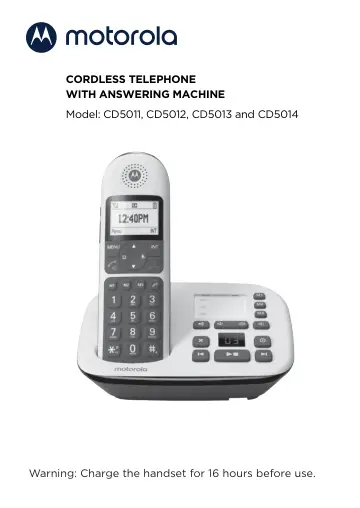
Motorola CD5011 (107CD5011UK) user manual
- Type
- User manual
- Language
- English
- Pages
- 64
- Category
- Phones
- Models
- 107CD5011UKCD5011CD5012CD5013CD5014
Open PDFOpens the file on objects.icecat.biz.
Contents
- 1. Getting startedp. 8
Location Important Do not place your CD5 in the bathroom or other humid areas. Place your CD5 base within reach of the mains power and telephone wall socket.…
- 2. Getting to know your phonep. 12
Overview of your handset A Handset LED Flashes when there is an incoming call. B Amplified volume During a call, press to amplify the ear piece volume. C…
- 3. Using the phonep. 17
3.1 Using the handset 3.1.1 Make a call 1. Press t. 2. Dial the telephone number. 3.1.2 Pre-dial 1. Enter the phone number (maximum 24 digits). If you make a…
- 4. Contactsp. 21
The CD5 can store up to 150 names and numbers in the contacts list. Numbers can be up to 24 digits long and names up to 16 characters long. Entries are stored…
- 5. Clock and alarmp. 25
If you subscribe to your network’s Caller ID service and Auto clock is set to on, the time on your CD5 will be set automatically each time you receive a call…
- 6. Call controlp. 27
6.1 Call barring Prevent certain numbers from being dialled from your phone. Store up to four specific numbers, each up to 4 digits – for example…
- 7. Caller ID and calls listp. 31
If you have subscribed to Caller ID and provided the identity of the caller is not withheld, when you receive an incoming call the number of the caller will be…
- 8. Handset settingsp. 34
8.1 Handset tones Important When the phone is ringing, avoid holding the earpiece too close to your ear as it may damage your hearing. 8.1.1 Ring tone You can…
- 9. Advanced settingsp. 38
9.1 Base ringer volume You can adjust the ringer volume and set different volume levels. Choose from 5 volume levels or Off. 1. Press Menu, scroll u to…
- 10. Registrationp. 43
10.1 Register a handset Up to 4 handsets can be registered to one base station. Additional handsets must be registered to the base before you can use them. •…
- 11. Software versionp. 44
1. Press Menu, scroll d to Settings and press OK. 2. Scroll d to Software version. Press OK. 3. The software version of the base and handset will be displayed.…
- 12. Using your Answering Machinep. 45
The phone can digitally record up to 30 minutes of messages. As well as recording incoming messages, it can record memos for other users. The answering machine…
- 13. Helpp. 51
Phone does not work • Check that the power adaptor is securely plugged into the base and mains power socket. • Check that the batteries are inserted correctly…
- 14. General informationp. 54
Important This equipment is not designed to make emergency telephone calls when the power fails. Alternative arrangements should be made for access to…