Loading manual…
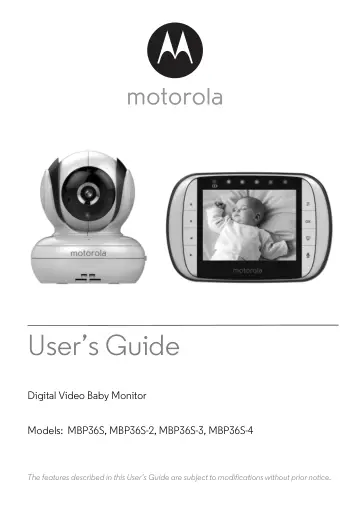
Motorola MBP36SC user manual
- Type
- User manual
- Language
- English
- Pages
- 30
- Category
- Baby care
- Models
- MBP36S
Open PDFOpens the file on objects.icecat.biz.
Contents
- 1. Safety Instructionsp. 7
WARNING: Strangulation Hazard: Children have STRANGLED in cords. Keep the unit and adapter cord more than 1 metre from the cot and out of the baby's reach.…
- 2. Getting Startedp. 10
2.1 Baby Unit Power Supply 1. Connect the small plug of the power adapter to the baby unit (camera) and the other end to a suitable mains power socket. NOTE…
- 2.1 Baby Unit Power Supplyp. 10
1. Connect the small plug of the power adapter to the baby unit (camera) and the other end to a suitable mains power socket. NOTE Only use the enclosed power…
- 2.2 Parent Unit Battery Installationp. 10
1. Insert the wire tab of the rechargeable battery pack into the contact slot as shown above and fit the battery pack into the compartment. 2. Replace the…
- 2.3 Parent Unit Power Supplyp. 11
IMPORTANT Installing the rechargeable battery pack and charging it fully before use is recommended, to allow temporary operation of the parent unit in the…
- 2.4 Registration (Pairing)p. 12
The Baby monitor is pre-registered to your Parent Unit. You do not need to register it again unless the Baby Unit loses its link with the Parent Unit. To…
- 3. Using the Baby Monitorp. 13
3.1 Setting up • Place the baby unit in a convenient location (e.g. on a table) and point the camera lens towards the area you want to monitor. • Adjust the…
- 3.1 Setting upp. 13
Place the baby unit in a convenient location (e.g. on a table) and point the camera lens towards the area you want to monitor. • Adjust the baby unit's head…
- 3.2 Pan and Tiltp. 13
The camera can be remotely controlled from the parent unit. 1. Press the + UP button or - DOWN button to tilt upward or downward. 2. Press the < LEFT button or…
- 3.3 Night Vision Modep. 13
The baby unit has 8 high-intensity infrared LEDs for picking up clear images in the dark. When the built-in photo sensor near the top of the unit detects a low…
- 3.4 Talk Modep. 13
Press and hold the T TALK button on the parent unit to talk to your baby through the baby unit’s loudspeaker. The T icon will be displayed at the top of the…
- 3.5 Video ON/OFFp. 13
Press V VIDEO ON/OFF key to turn the LCD display on or off, but still leave the audio monitor on.
- 3.6 Temperature Displayp. 14
The temperature reading from the temperature sensor at the back of the Baby Unit will be displayed at the top of the LCD screen, or at the bottom in split…
- 4. Parent Unit Menu Optionsp. 15
4.1 Volume 1. Press the M button and the menu bar will appear with highlighted. 2. Press the O button to show the volume set level. 3. Press the + UP button or…
- 4.1 Volumep. 15
1. Press the M button and the menu bar will appear with highlighted. 2. Press the O button to show the volume set level. 3. Press the + UP button or - DOWN…
- 4.2 Brightnessp. 15
1. Press the M button and the menu bar will pop up. 2. Press the < LEFT button or > RIGHT button until is highlighted. 3. Press the O button to show the…
- 4.3 Lullabyp. 15
- 4.4 Zoomp. 15
- 4.5 Alarmp. 16
- 4.6 Camera Controlp. 16
4.6.1 Add (pair) a camera 1. Press the M button of the parent unit and the menu bar will pop up. 2. Press the < LEFT button or > RIGHT button until is…
- 4.6.1 Add (pair) a camerap. 16
1. Press the M button of the parent unit and the menu bar will pop up. 2. Press the < LEFT button or > RIGHT button until is highlighted, and then press O for…
- 4.6.2 Delete a camerap. 17
- 4.6.3 View multiple cameras on screenp. 17
This function is only available when you have more than 1 Baby Unit (Camera). While viewing a camera picture, press the O button repeatedly to select Scan…
- 4.7 Temperature Settingp. 18
- 4.8 Power Saving modep. 18
- 5. Disposal of The Device (environment)p. 19
At the end of the product lifecycle, you should not dispose of this product with normal household waste. Take this product to a collection point for the…
- 6. Cleaningp. 20
Clean the baby monitor with a slightly damp cloth or with an anti-static cloth. Never use cleaning agents or abrasive solvents. Cleaning and care • Do not…
- 7. Helpp. 21
Display No display • Try recharging or replacing the battery pack. • Reset the units. Disconnect the battery pack of the parent unit and unplug both the units'…
- 8. General Informationp. 23
lf your product is not working properly.... 1. Read this User's Guide or the Quick Start Guide. 2. Contact Customer Service: To order a replacement battery…