Loading manual…
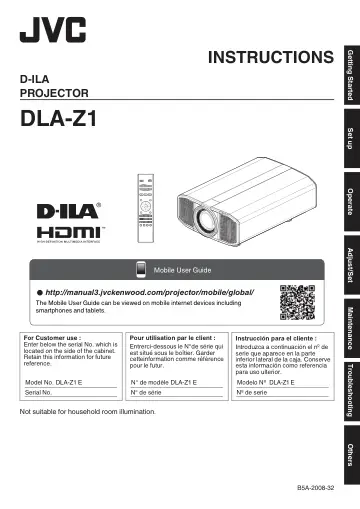
JVC DLA-Z1 4K D-ILA Laser Projector (DLAZ1E) user manual
- Type
- User manual
- Language
- English
- Pages
- 80
- Category
- Projectors
- Models
- DLAZ1E
Open PDFOpens the file on objects.icecat.biz.
Contents
- Getting Startedp. 2
- Safety Precautionsp. 2
- Accessories/Optional Accessoriesp. 10
- Controls and Featuresp. 11
Main Unit - Front A B C D D A Lens This is a projection lens. Do not look through the lens while an image is projected. B Remote Sensor (front) Please aim the…
- Set upp. 17
- Installing the Projectorp. 17
Precautions during Installation Please read the following carefully before installing this unit. When carrying this unit This unit is heavy in weight. Please…
- Connecting the Projectorp. 21
Do not turn on the power until connection is complete. 0 The connection procedures differ according to the device used. For details, please refer to the…
- Operatep. 24
- Viewing Videosp. 24
MEMO 0 Make sure to remove the lens cover. 0 Connect the power cord, and ensure that the “STANDBY/ON” indicator lights up in red. 0 During standby in the “ECO…
- Adjusting the Projector Screenp. 26
Adjusting the Lens According to the Projection Position 1 Press the [LENS CONTROL] button, and use the [JKH I] keys to adjust Focus, Zoom (screen size), and…
- Viewing 3D Moviesp. 29
By using the 3D Glasses (PK-AG1, PK-AG2, or PK-AG3) and 3D Synchro Emitter (PK-EM1 or PK-EM2), both sold separately, you can enjoy 3D video images. 0 For 3D…
- Adjust/Setp. 31
- Selecting an Image Quality According to the Video Typep. 31
Setting the Picture Mode You can adjust the image quality according to the type of video image you are viewing. 1 Press the [PICTURE MODE] button, and use the…
- Adjusting Movies for Increased Detail and Sharpness (Multiple Pixel Control)p. 35
The new image-processing algorithm developed by JVC helps to create a natural impression that is sharper at areas in focus, and softer at areas that are not in…
- Fine-tuning the Image Qualityp. 36
Adjusting the Output Value of the Projected Image (Gamma) You can adjust the output value of the projected image with respect to the video signal input.…
- Adjustments and Settings in the Menup. 42
- Maintenancep. 61
- Maintaining the Cabinet and Remote Controlp. 61
Gently wipe off dirt on the cabinet with a soft cloth. 0 If it is extremely dirty, wet a cloth in water, wring dry and use it to wipe off the dirt, followed by…
- Cleaning and Replacing the Filterp. 61
Clean the filter regularly. Using a filter without cleaning may reduce the brightness of the image. Dirt that enters the unit may also appear as shadows on the…
- Troubleshootingp. 62
Before sending the unit to your authorized dealer for repair, please check the following points. The following symptoms are not malfunctions. You do not need…
- When the Following Messages Appearp. 66
Message Description Action No Input 0 No device is connected to the input terminal. 0 The input terminal is connected but there is no signal. Input the video…
- Othersp. 67
- External Controlp. 67
It is possible to control this unit by connecting it to a PC using an RS-232C cross cable (D-sub 9-pin). The projector can be controlled by connecting it to a…
- Specificationsp. 71
Product Name D-ILA Projector Model Name DLA-Z1 Display Panel/Size D-ILA device *1, 2 0.69” 4K D-ILA (4096 x 2160 pixels) x 3 Projection Lens 2.0 x power zoom…