Loading manual…
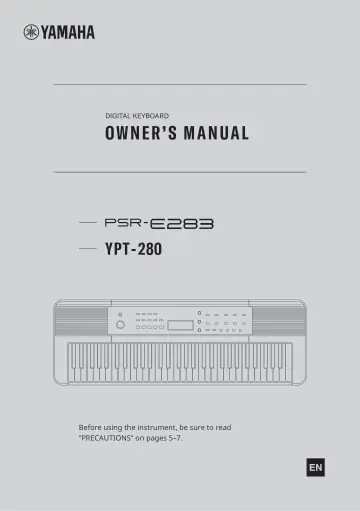
Yamaha YPT-280 user manual
- Type
- User manual
- Language
- English
- Pages
- 28
- Category
- Instruments & DJ gear
- Models
- YPT-280
Open PDFOpens the file on objects.icecat.biz.
Contents
- About the Manualsp. 9
The following manuals are provided for the instrument. Printed Manual Owner’s Manual (this book) Explains the basic operations of the instrument. …
- Included Accessoriesp. 9
Owner’s Manual (this book) ×1 • Music rest ×1 • AC adaptor* ×1 • Online Member Product Registration ×1 * May not be included depending on your area. Check with…
- Setting Upp. 10
Power Requirements Although the instrument will run either from an AC adaptor or batteries, Yamaha recommends the use of an AC adaptor whenever possible.
- Power Requirementsp. 10
Although the instrument will run either from an AC adaptor or batteries, Yamaha recommends the use of an AC adaptor whenever possible.
- Using an AC Adaptorp. 10
Connect the AC adaptor in the order shown in the illustration. DC IN jack (page 13) AC adaptor 2 AC outlet 1 WARNING • Use only the supplied or the specified…
- Using Batteriesp. 10
This instrument can use AA size alkaline, manganese dry cell, or rechargeable nickel metal hydride batteries (rechargeable batteries). However, the use of…
- Turning the Power On/Offp. 11
Turn down the [MASTER VOLUME] dial to “MIN”. 2 Press the [ ] (Standby/On) switch to turn the power on. The Voice name will appear on the display. Adjust the…
- Auto Power Off functionp. 11
To prevent unnecessary power consumption, this instrument features an Auto Power Off function that automatically turns the power off if the instrument is not…
- Using the Music Restp. 11
Insert the music rest into the slots as shown.
- Panel Controls and Terminalsp. 12
- Let’s Enjoy Playing the Keyboard!p. 14
About the button names The names of buttons or parts on the panel are enclosed in [ ]. The number after the button name indicates the number in “Panel Controls…
- Selecting a Voicep. 14
Press [VOICE] !3. 2 Press the button of the desired Voice from among the Category buttons !4. ←VOICE category Each time you press the button, it changes to a…
- Calling up the Grand Piano Voicep. 14
Press [PORTABLE GRAND] !8. This instantly resets all of your settings, and lets you play the piano sound with the entire keyboard
- Playing Various Sound Effectsp. 14
Press [SFX KIT] !7. 2 Play the keyboard. A sound effect plays, one that corresponds to the illustration @0 just above the key you played. Even if you play a…
- Playing the Keyboard with Two People (Duo Mode)p. 15
Press [FUNCTION] !6 repeatedly to call up “DuoMode (024)”. 2 Press [+] !5 to turn it on. 024 on DuoMode on F#3 Equivalent to C3 Equivalent to C3 Left player…
- Listening to the Preset Songsp. 15
Press [SONG] !3. 2 Press one of the Category buttons !4 to select the desired Song. ←SONG category Each time you press the button, it changes to a different…
- Practicing your Favorite Songs (3-Step Lesson)p. 16
Select your favorite Song. (Perform Step 1-2 of “Listening to the Preset Songs.”) 2 Press [3-STEP LESSON] i the number of times corresponding to the lesson…
- Playing Along with Auto accompaniment (Styles)p. 16
Press [STYLE] !3. 2 Press one of the Category buttons !4 to select the desired Style. ←STYLE category Each time you press the button, it changes to another…
- Try Guessing the Sound! (Sound Quiz)p. 17
When you press [SOUND QUIZ] o, fanfare music sounds, and the quiz will start. 2 Find and play the same sound as the sound produced by the instrument. If you…
- Try the Memory Quiz!p. 17
Pass the quiz and master playing the melody! 1 When you press [MEMORY QUIZ] !0, fanfare music sounds, and the quiz will start. 2 After the example finishes…
- Play with Rhythm! (Rhythm Tutor)p. 18
Press [SONG] !3, and then press [RHYTHM TUTOR] !4. 2 Press [START/STOP] !1 to start Rhythm Tutor. 3 A mark will move across the top of the display. Press the…
- Recording Your Performancep. 18
You can record your performance as a User Song (Song No. 123), which can then be played back on the instrument. 1 Press [PHRASE REC] y to enter recording…
- Playing Sound from Your Smartphone or Other Audio Devicep. 19
Turn off the power for both the audio device and this instrument. 2 Connect the audio device to the instrument’s [AUX IN] jack. Use an audio cable having no…
- About the Function Settingsp. 20
The function settings provide access to various detailed instrument parameters including Tuning, Split Point, Voices, Effects, and battery type. 1 Press…
- Troubleshootingp. 22
Problem Possible Cause and Solution Not all of the Voices seem to sound, or the sound seems to be cut off. The instrument is polyphonic up to a maximum of 32…
- Specificationsp. 22
”-“Power Supply” below). If it appears to be malfunctioning, discontinue use immediately and have it inspected by qualified Yamaha service personnel. Product…