Loading manual…
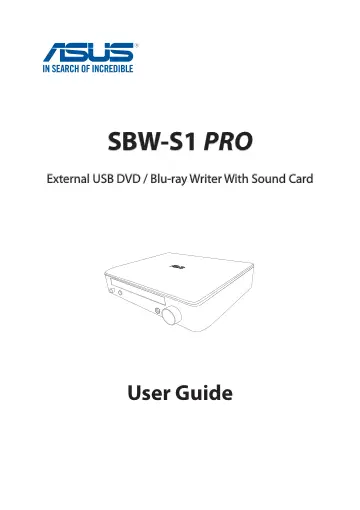
ASUS SBW-S1 Pro (90DD01H5-M69000) user manual
- Type
- User manual
- Language
- English
- Pages
- 18
- Category
- Blu-ray & media players
- Models
- SBW-S1 Pro
Open PDFOpens the file on images.icecat.biz.
Contents
- 1. Introductionp. 4
1.1 Overview The ASUS SBW-S1 PRO is the world’s first optical drive to have a built-in sound card that provides 7.1-channel audio output and a headphone…
- 1.1 Overviewp. 4
The ASUS SBW-S1 PRO is the world’s first optical drive to have a built-in sound card that provides 7.1-channel audio output and a headphone amplifier. It…
- 1.2 Package contentsp. 4
Main drive Driver CD Quick Start Guide Safety Notice USB 2.0 cable Adapter Power cord* Y-splitter audio cable * Type and quantity may vary regionally. 1.…
- 1.3 System requirementsp. 4
To ensure a successful installation of the ASUS SBW-S1 PRO, make sure that your computer meets the following requirements: • USB 2.0 port or above • CPU…
- 1.4 Specifications summaryp. 5
- 1.5 Getting to know your devicep. 6
Front view Rear view No. Items Description 1 Power on/off button Press the button to switch on/off the device. 2 Power indicator The LED will light up when…
- 2. Setting up your devicep. 7
Step 1: Connecting to your computer 1. Connect the type A USB connector of the bundled USB 2.0 cable to your computer, and the Micro-B connector to the optical…
- Step 1: Connecting to your computerp. 7
1. Connect the type A USB connector of the bundled USB 2.0 cable to your computer, and the Micro-B connector to the optical drive. 2. Connect the adapter to…
- Step 2: Installing the driver on Windows® OSp. 7
After connecting the drive to your computer, you need to install the device driver that enables the drive to work with Windows® operating system. To install…
- Step 3: Connecting output devicesp. 8
There are three options to connect output devices. A. Connecting stereo headphones B. Connecting powered analog speaker systems C. Connecting 7.1 or…
- Step 4: Configuring the audio settingsp. 9
On Windows® OS Follow these steps to configure the audio settings: 1. Go to Control Panel and click Sound. 2. Select ASUS XONAR S1 and click Set Default to set…
- 3. Using your devicep. 13
3.1 Installing CyberLink Media Suite on Windows® OS CyberLink Media Suite is an all-in-one multimedia suite that includes the following four utilities: •…
- 3.1 Installing CyberLink Media Suite on Windows® OSp. 13
CyberLink Media Suite is an all-in-one multimedia suite that includes the following four utilities: • PowerDVD 12* • Power2Go 8 • PowerBackup 2.5* •…
- 3.2 Playing an audio or video disc on Windows® OSp. 14
While your system is on, insert an audio or video disc into the optical drive bezel with the label side up. PowerDVD 12 will play the audio or video disc…
- 3.3 Burning files to disc on Windows® OSp. 15
Burning data to CD/DVD using Power2Go 8 To burn data to CD/DVD using Power2Go 8 1. While your system is on, insert a blank disc into the optical drive bezel…
- 3.4 Playing a disk and burning files on Mac OSp. 16
Checking if your Mac has detected the ODD 1. Click Go on the control bar then select Utilities. 2. Double-click Disk Utility. You can find the optical drive in…
- 4. Troubleshootingp. 18
1. I cannot install the driver in my PC. a) Ensure that you have connected SBW-S1 PRO properly to the USB port of your computer and powered it on. b) Ensure…