Loading manual…
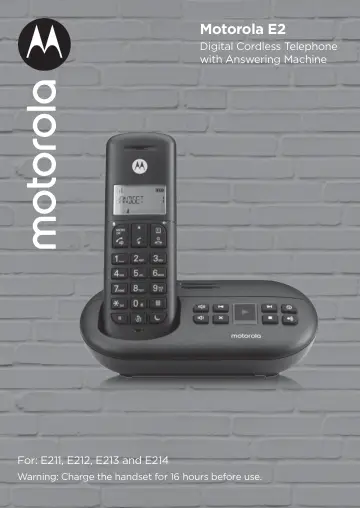
Motorola E211 (F52000K51O1AES03) user manual
- Type
- User manual
- Language
- English
- Pages
- 48
- Category
- Phones
- Models
- F52000K51O1AES03
Open PDFOpens the file on objects.icecat.biz.
Contents
- 1. Getting startedp. 7
Location Important Do not place your E2 in the bathroom or other humid areas. Place your E2 base within reach of the mains power and telephone wall socket. The…
- 2. Getting to know your phonep. 11
Overview of your handset A Earpiece B Display See page 13 for an overview of the display icons. C Up During a call, press to increase earpiece volume. When the…
- 3. Using the phonep. 17
Note The handset will automatically time the duration of all external calls. The call timer will display after the first 10 seconds of the call. When the call…
- 4. Phonebookp. 21
You can store up to 50 names and numbers in the phonebook. Names can be up to 12 characters long and numbers up to 24 digits. 4.1 Store a name and number If…
- 5. Call blockp. 23
Your phone can block calls by call type or by number. Up to 10 numbers can be blocked. For this feature to work, you must subscribe to Caller ID Service from…
- 6. Caller ID and the Calls listp. 26
Important To use Caller ID, you must first subscribe to the service from your network provider. A subscription fee may be payable. To ensure that the caller’s…
- 7. Clock & alarmp. 28
7.1 Set the date and time 1. Press M, scroll d to CLOCK/ALARM and press M. The display shows DATE & TIME. 2. Press M to select. 3. Enter the date (e.g.…
- 8. Personal settingsp. 29
8.1 Handset tones 8.1.1 Handset ringer volume The handset ring volume can be set to different volume levels. Choose from 5 volume levels or Off. 1. Press M…
- 9. Base settingsp. 32
9.1 ECO mode Your E2 offers ECO mode function which reduces the transmitted power and energy consumption when switched on. To switch Eco mode on: 1. Press M…
- 10. Using the answering machinep. 36
The phone can digitally record up to 12 minutes of messages. As well as recording incoming messages, it can record memos for other users. The answering machine…
- 11. Helpp. 40
No dial tone • Use only the telephone line cord supplied. • Check that the telephone line cord is connected properly. • Check that the mains power is connected…
- 12. General informationp. 42
Important This equipment is not designed to make emergency telephone calls when the power fails. Alternative arrangements should be made for access to…