Loading manual…
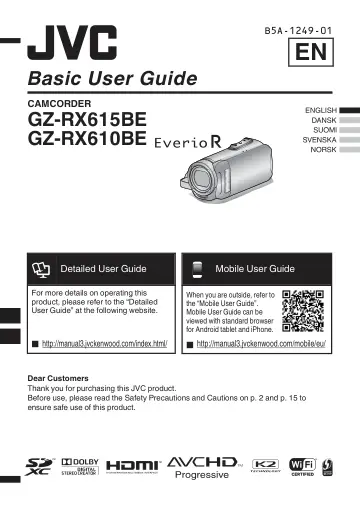
JVC GZ-RX610 (GZ-RX610BEU) user manual
- Type
- User manual
- Language
- English
- Pages
- 92
- Category
- Cameras & lenses
- Models
- GZRX610BEURX610BERX615BE
Open PDFOpens the file on objects.icecat.biz.
Contents
- Safety Precautionsp. 2
IMPORTANT (for owners in the U.K.) Connection to the mains supply in the United Kingdom. DO NOT cut off the mains plug from this equipment. If the plug fitted…
- Verifying the Accessoriesp. 6
- Names of Parts and Functionsp. 7
b 2 1 5 6 7 a 0 4 c d 9 8 3 A Lens Protective Glass If the protective glass is dirty, wipe using a commercially available cloth. B Light(GZ-RX615) C Stereo…
- Date and Time Settingp. 8
Open the LCD monitor. . 0 The unit turns on. When the LCD monitor is closed, the unit turns off. 2 Tap [OK] when [SET DATE/ TIME!] is displayed. . SET…
- Open the terminal cover (SD card cover)p. 9
A Open the LCD monitor. B Slide down the terminal cover lock and slide the cover aside C Lift the cover slowly. o To close . Not properly closed if the red…
- Charging the Batteryp. 10
A battery is built into the camcorder. . AC Adapter (Provided) Adapter Cable (Provided) Charging Lamp To AC Outlet (100 V to 240 V) A B C D 1 Open the terminal…
- Inserting an SD Cardp. 11
The videos and the still images are recorded to the built-in memory at the initial settings. Insert a commercially available SD card if you want to record to…
- Video Recordingp. 12
You can record without worrying about the setting details by using the P (Intelligent Auto) mode. Settings such as exposure and focus will be adjusted…
- Video Qualityp. 13
This unit can perform recording in high definition (1920x1080). Default setting of [VIDEO QUALITY] is XP. o To change the setting A Tap [MENU]. B Tap [RECORD…
- Playing Back/Deleting Files on this Unitp. 14
Select and play back the recorded videos or still images from an index screen (thumbnail display). . T W VOL. + PLAY Tap on the files to delete. Tap R. To…
- Troubleshooting/Cautionsp. 15
Troubleshooting If you encounter problems with this unit, check the following before requesting service. 1. Refer to the “Troubleshooting” section in the…
- Recordable Time/Specificationsp. 18