Loading manual…
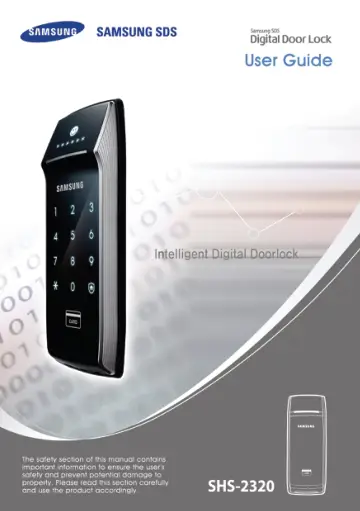
Samsung SHS-2320 user manual
- Type
- User manual
- Language
- English
- Pages
- 40
- Category
- Smart home devices
- Models
- SHS-2320
Open PDFOpens the file on objects.icecat.biz.
Contents
- Precautionsp. 6
The following contents are designed to protect user safety and prevent loss and damage of their property. Please read this prior to use to ensure the product…
- Read before Usep. 9
Product Components User Guide 'AA' batteries (LR6) Screws to hold the fixtures from the inside - Product composition can be different and subject to change…
- Product Componentsp. 9
User Guide 'AA' batteries (LR6) Screws to hold the fixtures from the inside - Product composition can be different and subject to change without notification.…
- Outer Body Part Namesp. 10
No. Part Function 1 User-friendly Graphic Interface Shows the status of the doorlock function. Battery Change Time Notification Double Lock Mode Being Setup…
- Inner Body Part Namesp. 11
No. Part Function 1 Battery Cover Open Button Button used to open the battery cover. 2 Registration Button Button used to register/change password, card, key…
- How to Replace Batteriesp. 12
1. When the Low Battery Ring Tone Sounds If the melody "Fur Elise" rings before the door opens with password or key tag, it is time to replace batteries (The…
- How to Use Emergency Batteryp. 13
1. When Door Will Not Open Due to Complete Discharge of AA Batteries When it is time to change the batteries, if not replaced, the door lock will not function…
- Basic Functionsp. 14
This section explains ways to reset the data in the doorlock system, ways to register password, card and other information and ways to open and close the door
- How to Reset (Password, Card, Key Tag)p. 14
Delete all data (about password, card, and key tag). When data is being reset, password will be '1234' and previously registered information on card, key tag…
- How to Register and Change Passwordp. 15
Password can be registered with 4~12 digit numbers, and only one can be registered and used. If the password needs to be changed, changing procedure is the…
- How to Register Card and Key Tagp. 17
The total number of 20 including key tag can be registered. (ISO14443A Type Compliance) 1. Pressing [Register] Button Open the battery cover and press…
- How to Delete Card or Key Tagp. 19
1. Pressing [Register] Button Open the battery cover and press [Register] button for 5 seconds. 2. Entering Password Enter password and then press [¹] button.…
- Additional Functionsp. 23
How to Set up Multi-leveled Security Code Entry Mode Multi-leveled security code entry mode uses 2 random numbers and password to secure the password from…
- How to Set up Infrared Ray Sensorp. 24
Infrared ray sensor detects movement on the inside with an infrared ray when the door opens by pressing [Open/Close] button. It prevents the door being opened…
- How to Set up Double Authentication Modep. 25
Double authentication mode requires both card and password to open the door, ensuring more security. You can either set up or cancel the function for your…
- How to Set up Auto/Manual Lockp. 26
When the door is closed, auto-lock function can be setup. - If the deadbolt comes out automatically when the open-door sensor is pressed by hand while the door…
- How to Set up and Turn off Soundp. 27
The sound volume for entering password, closing and opening the door can be adjusted. Setting up Sound Function When purchased, the product is set so that all…
- Warning Alarm / Emergency Alarmp. 28
When the Alarm Sounds (Tempering-prevention function) It is a function that stops doorlock with the warning alarm when the lock is not properly treated from…
- Troubleshootingp. 32
If door lock part does not work properly, check the listed cases below. Contact your nearest customer support center if the problem continues. Power Problem…
- Summary of Usagep. 34
Function Default Value Setting Up or Turning Off (Press in Order) Resetting (deleting Password, Cards and Key Tags) - Registration button for 10 seconds…
- Product Specificationsp. 36
Category Specifications Standard Power Source 4 AA Alkaline batteries (1.5V, LR6) (6V) Emergency Power 9V battery (6LF22) (not included) Working Mechanism…
- Product Warrantyp. 37