Loading manual…
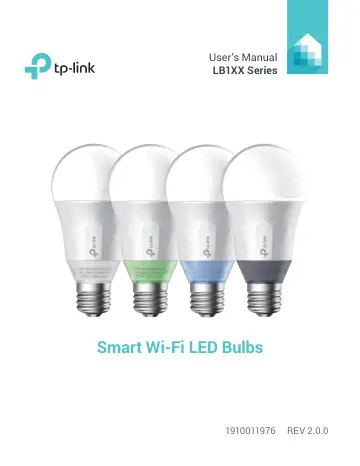
TP-Link LB130 user manual
Open PDFOpens the file on objects.icecat.biz.
Contents
- Introductionp. 5
TP-Link Smart Wi-Fi LED Bulbs, Tunable White and Multi-Color, are Wi-Fi enabled, dimmable, energy efficient LED light bulbs that can be controlled via your iOS…
- Product Requirementsp. 5
A smartphone or tablet running iOS 8 or higher; Android 4.1x or higher. • A Wi-Fi connection (supports 802.11n standard).
- Important Safety Informationp. 6
Before installing or replacing the Smart Wi-Fi LED Bulbs, read and follow all precautions, including the following: • WARNING: RISK OF ELECTRIC SHOCK OR BURNS.…
- Smart Wi-Fi LED Bulb Installationp. 7
Download TP-Link Kasa from the App Store or Google Play. OR scan QR code 2 Connect your mobile device to a 2.4GHz Wi-Fi network. Note: The Smart Wi-Fi LED…
- Using Kasa with Smart Wi-Fi LED Bulbsp. 9
Kasa Account While you don’t have to have a Kasa account to use your devices, signing up for an account provides added functionality such as: • Synchronization…
- Kasa Accountp. 9
While you don’t have to have a Kasa account to use your devices, signing up for an account provides added functionality such as: • Synchronization of settings…
- Kasa Settingsp. 10
Kasa’s Settings allows you to set your global preferences such as: • Remote Control to control your Smart Home devices outside of your home. You need to sign…
- Kasa Controlsp. 11
The features and functions displayed on this screen vary depending on the model version of your Smart Wi-Fi LED Bulb. The Multi-Color bulb is used as an…
- Customizing Smart Wi-Fi LED Bulbsp. 12
You can personalize your Smart Wi-Fi LED Bulb with a descriptive name, icon, and other information from the bulb’s details screen. Device Settings 9:41 PM 100%…
- Tunable Whitep. 14
*Available for the LB120 and LB130 bulbs only. The LB120 bulb has an adjustable temperature range of warm (2,700k) to cool (6,500k) shades of white, and the…
- Adjustment of Brightnessp. 15
You can increase or decrease the bulb brightness (both white and color) from 1% to 100% using the dimmer slider. Remember: The Smart Wi-Fi LED Bulb can only be…
- Coloring your roomp. 16
*Available for the Multi-Color bulb only. The Multi-Color bulb is capable of illuminating in a broad spectrum of colors that can be set to create the perfect…
- Circadian Modep. 17
*Available for the Tunable White and Multi-Color bulbs only. When enabled, the Smart Wi-Fi LED Bulbs dynamically adjust both light intensity and color…
- Schedulingp. 18
You can set up your Smart Wi-Fi LED Bulbs to illuminate around your home at specific times on specific days of the week, or to slowly wake you up in the…
- Energy Monitoringp. 20
With energy usage monitoring capability, you get a realtime energy consumption report (average daily, weekly, and monthly) on your Smart Wi-Fi LED Bulbs. 0.05…
- Creating Scenesp. 21
Take full advantage of your TP-Link Smart Home devices in your home with “Scenes”. A scene is a preset group of Smart Devices (such as Smart Plugs, Smart Wi-Fi…
- Maintaining the Smart Wi-Fi LED Bulbsp. 24
Firmware Update To keep the Smart Wi-Fi LED Bulbs happy and up-to-date with all the latest improvement and fixes, we recommend that you update the firmware…
- Firmware Updatep. 24
To keep the Smart Wi-Fi LED Bulbs happy and up-to-date with all the latest improvement and fixes, we recommend that you update the firmware when updates are…
- Resettingp. 25
the Smart Wi-Fi LED Bulbs can help you troubleshoot any issues you may have. There are two types of reset available–a soft reset which does not erase the…
- Troubleshootingp. 27
Frequently Asked Questions 1. Can I control multiple Smart Wi-Fi LED Bulbs at the same time? Yes. You can manage and save multiple bulbs together as a “scene”.…
- Frequently Asked Questionsp. 27
1. Can I control multiple Smart Wi-Fi LED Bulbs at the same time? Yes. You can manage and save multiple bulbs together as a “scene”. 2. How far can I be and…
- Usage Tipsp. 29
Place the Smart Wi-Fi LED Bulb within the range of your Wi-Fi router or access point (approximately 100 feet). • Avoid physical obstructions and radio…
- Supportp. 29
If you encounter any issues with the Smart Wi-Fi Light Bulbs or configuration, please visit www.tp-link.com/support for web support and troubleshooting…
- Specificationsp. 30
- Limited Warrantyp. 31
To learn more about the Limited Warranty for TP-Link products, please visit www.tp-link.us/support/rma.