Loading manual…
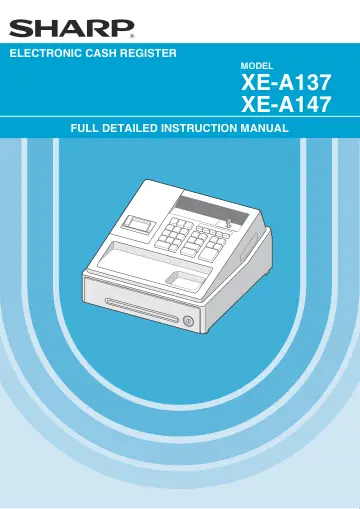
Sharp XEA147WH (XE-A147WH) user manual
Open PDFOpens the file on objects.icecat.biz.
Contents
- INTRODUCTIONp. 3
Thank you very much for your purchase of the SHARP Electronic Cash Register, Model XE-A137/XE-A147. Please read this manual carefully before operating your…
- IMPORTANTp. 3
Be very careful when removing and replacing the printer cover, as the cutter mounted on it is very sharp. • Install the cash register in a location not subject…
- PARTS AND THEIR FUNCTIONSp. 6
External View Plug the AC adapter connector into the AC adapter jack, then plug the AC adapter into the wall outlet. Cheque slot Printer cover Display Mode…
- PREPARING THE CASH REGISTERp. 9
Unpack the cash register and make sure all accessories are included. For details of accessories, please refer to “SPECIFICATIONS” section. For installing the…
- HELP FUNCTIONp. 12
The help function allows you to print guidance messages for basic programming procedures of the cash register. This function is available in any mode switch…
- BASIC FUNCTION PROGRAMMINGp. 13
Before starting sales entries, you must first program necessary items so the cash register suits your sales needs. In this manual, there are three sections…
- BASIC SALES ENTRY (Example)p. 24
Basic Sales Entry Listed below is a basic sales entry example when selling items by cash. For operation details, please refer to “Additional Information for…
- CORRECTIONp. 26
Cancellation of the Numeric Entry If you make an incorrect numeric entry, you can clear the entry by pressing the l key only before pressing a department key…
- FULL SALES REPORT (X or Z REPORT)p. 29
Use the reading function (X) when you need to take a reading of sales information entered since the last reset. You can take this reading any number of times.…
- OTHER BASIC SALES ENTRIESp. 31
Additional Information for BASIC SALES ENTRY Receipt ON/OFF function When you use the printer to issue receipts, you can disable receipt printing in the REG…
- OPTIONAL FEATURESp. 41
Auxiliary Entries •Percent calculations (premium or discount) • Your register provides percent calculations for a subtotal or each item entry depending on the…
- PRIOR TO PROGRAMMINGp. 45
Procedure for programming 1. Check to see whether a paper roll is present in the machine. If there is not enough paper on a roll, replace it with a new one…
- AUXILIARY FUNCTION PROGRAMMINGp. 47
Miscellaneous Key Programming The cash register provides miscellaneous keys such as %, R, t, V, C, c and A. •Rate for % and V Rate (max. 9 digits) % V A To…
- ADVANCED FUNCTION PROGRAMMINGp. 54
Register Number and Consecutive Number Programming The register number and consecutive numbers are printed on every receipt. When your store has two or more…
- READING (X) AND RESETTING (Z) OF SALES TOTALSp. 70
- EJ REPORT READING AND RESETTINGp. 72
The cash register provides an electronic journal (EJ) function. This function is intended to record the journal data in a memory instead of journal paper, and…
- EURO MIGRATION FUNCTIONp. 73
NOTE EURO programming described in this section are for users in the countries which will join to the members of the European Currency Union, not for the users…
- SD CARD FUNCTIONp. 76
The register’s data can be saved to the SD memory card, and the programming data can be loaded from the SD memory card. To use the SD card function, turn the…
- OPERATOR MAINTENANCEp. 78
In Case of Power Failure When power is lost, the machine retains its memory contents and all information on sales entries. (Note: Three alkaline batteries must…
- BEFORE CALLING FOR SERVICEp. 83
The malfunctions shown in the left-hand column below, labeled “Fault”, do not necessarily indicate functional faults of the machine. It is therefore advisable…
- SPECIFICATIONSp. 84
Model: XE-A137 XE-A147 Dimensions: 335 (W) x 360 (D) x 190 (H) mm Weight: Approx. 5 kg Power Source: Official (nominal) voltage and frequency Power…