Loading manual…
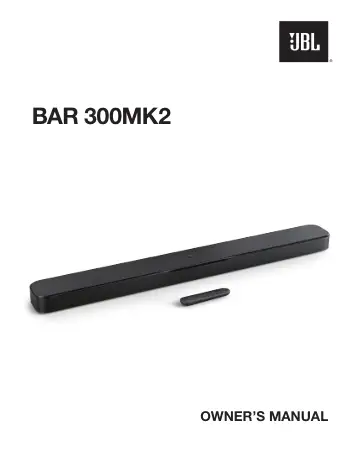
JBL Bar 300MK2 (JBLBAR300M2BLKEP) user manual
- Type
- User manual
- Language
- English
- Pages
- 23
- Category
- Soundbars
- Models
- JBLBAR300M2BLKEP
Open PDFOpens the file on objects.icecat.biz.
Contents
- IMPORTANT SAFETY INSTRUCTIONSp. 2
Verify Line Voltage Before Use The JBL BAR 300MK2 has been designed for use with 100- 240 volt, 50/60 Hz AC current. Connection to a line voltage other than…
- 1. INTRODUCTIONp. 4
Thank you for purchasing the JBL BAR 300MK2 which is designed to bring an extraordinary 3D sound experience to your home entertainment system. We encourage you…
- 2. WHAT’S IN THE BOXp. 5
Unpack the box carefully and ensure that the following parts are included. If any part is damaged or missing, do not use it and contact your retailer or…
- 3. PRODUCT OVERVIEWp. 6
3.1 Soundbar 3.1.1 Front panel & Top panel 1 3 4 5 2 1) Status indicator System: Regular pulsing (white) System startup Fast pulsing (white) Software updating…
- 4. PLACEp. 8
4.1 Desktop placement Place the product on a flat and stable surface. Refer to the recommended distance in the following diagram. 2.5-3.0 m / 8.2-9.8 ft > 4 m…
- 5. CONNECTp. 9
5.1 Connect with your TV and digital devices For audio playback through the soundbar, connect the soundbar with your TV through the supplied HDMI cable or an…
- 6. SETUPp. 11
6.1 Connect power 1 2 LOAD HELLO Connect the soundbar to power by using the supplied power cord. →The screen on the soundbar shows “LOAD” and then, “HELLO”.…
- 7. PLAYp. 13
7.1 Power-on/Auto standby/Auto wakeup HELLO 7.1.1 Switch on To switch on, press any button on the soundbar, or on the remote control. 7.1.2 Auto standby If the…
- 8. ADVANCED USAGEp. 17
8.1 Sound settings (Audio sync) With the audio sync function, you can synchronize audio and video to make sure that no delay is heard from your video content.…
- 9. PRODUCT SPECIFICATIONSp. 18
- 10. TROUBLESHOOTINGp. 19
Never try to repair the product yourself. If you have problems using this product, check the following points before you request services. System The unit will…
- 11. TRADEMARKSp. 21
The Bluetooth® word mark and logos are registered trademarks owned by Bluetooth SIG, Inc. and any use of such marks by HARMAN International Industries…
- 12. OPEN SOURCE LICENSE NOTICEp. 22
This product contains open source software licensed under GPL. For your convenience, the source code and relevant build instruction are also available at…